
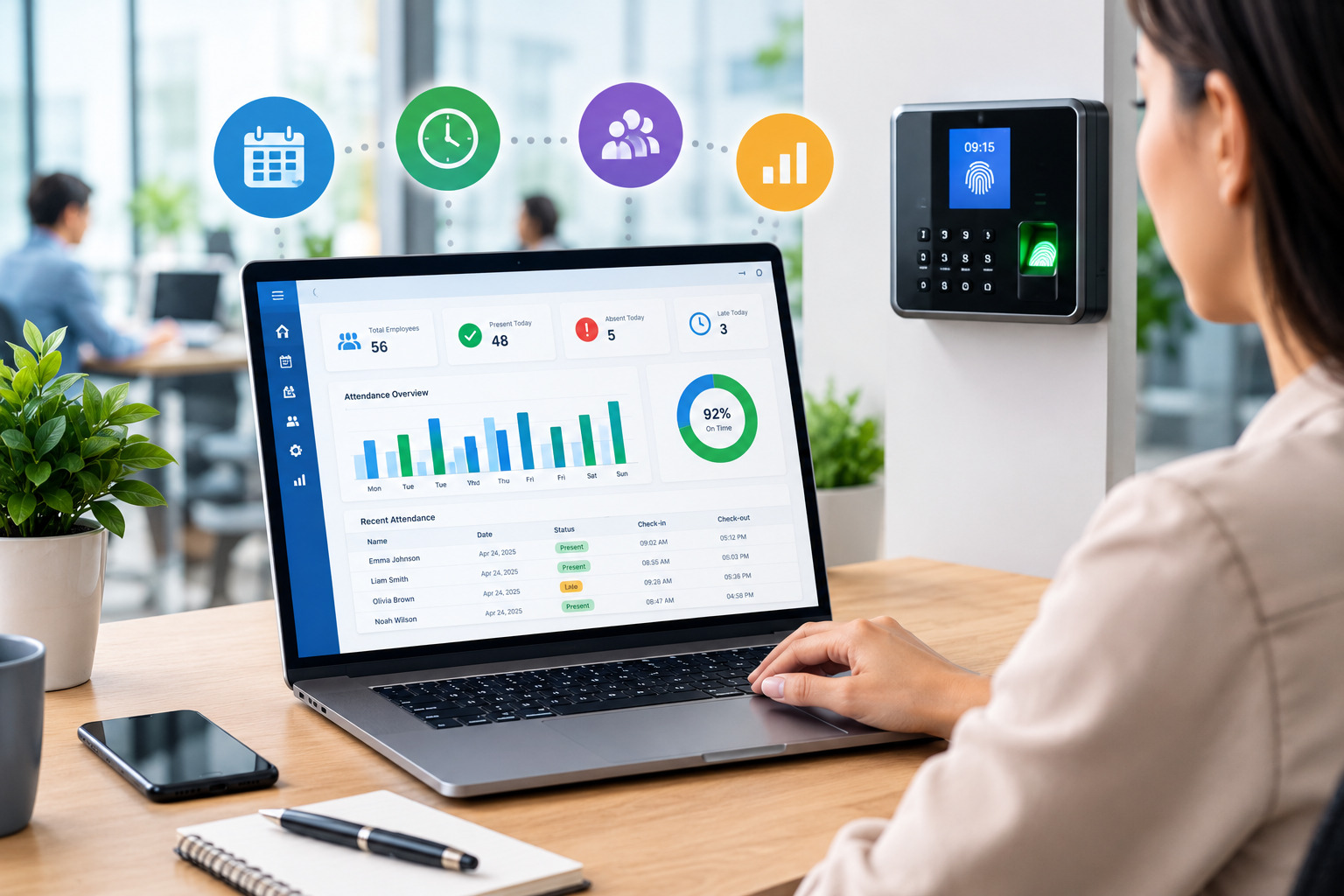
Managing employee working hours, attendance, and shift schedules is an important responsibility for every employer. When these processes rely on paper registers, spreadsheets, or disconnected systems, businesses may struggle with missing time entries, attendance discrepancies, delayed approvals, and payroll errors.
Time and attendance software helps employers organize these activities through a centralized digital system. Depending on its features, the software can record employee clock-ins and clock-outs, track working hours, monitor attendance patterns, manage timesheets, and generate reports that support workforce planning and payroll preparation.
For small businesses, growing companies, and organizations with multiple locations, an effective time and attendance system can reduce repetitive administrative work and make employee records easier to manage. It can also help managers identify attendance issues, review overtime, and compare scheduled shifts with actual working hours.
However, choosing the right software involves more than selecting a tool that records clock-in times. Employers should understand their workforce requirements, evaluate essential features, consider integration options, and establish clear policies for employees and managers.
In this complete guide, we will explain what time and attendance software is, how it works, its key features and benefits, the different types available, and how employers can choose and implement the right solution for their business.
What Is Time and Attendance Software?
Time and attendance software is a digital solution that helps businesses record employee working hours and monitor attendance. It replaces or simplifies manual processes by organizing time entries, attendance records, and related approvals in a centralized system.
Depending on the software, employees may clock in and out using a computer, mobile application, web portal, employee badge, PIN, or compatible biometric device. The system then stores the records and may calculate working hours, identify missing entries, and prepare reports for managers or payroll teams.
For example, a retail business with 25 employees may use time and attendance software to record shift start times, track late arrivals, review absences, and confirm employee hours before payroll is processed. Instead of collecting information from separate spreadsheets, the manager can review the available records in one place.
Some solutions focus primarily on attendance monitoring, while others combine attendance with employee scheduling, timesheets, overtime tracking, leave management, and payroll integrations.
The right system depends on how the business operates, how many employees it manages, and which processes it wants to improve.
Businesses looking to coordinate employee hours, attendance, and daily operations can explore our workforce management software to support more organized workforce management.
How Does Time and Attendance Software Work?
Time and attendance software generally follows a series of steps, from recording employee time to reviewing and reporting the information.
1. Employees Record Their Time
Employees record the beginning and end of their shifts through an available clock-in method. Depending on the system, they may also record breaks, job assignments, or other time entries.
A consistent recording process helps businesses maintain reliable information about when employees start and finish work.
2. The System Stores Attendance Records
The software stores time entries in a centralized database. Managers or authorized administrators can review the information according to their permissions.
Some systems flag incomplete records, such as missing clock-outs or unusual shift durations, so the relevant employee or manager can investigate them.
3. Working Hours Are Calculated
The software may calculate recorded hours based on clock-in times, clock-out times, break entries, and configured rules. Overtime calculations and other adjustments depend on the system’s capabilities and settings.
Employers should verify that these settings reflect their actual policies and applicable employment requirements.
4. Managers Review and Approve Timesheets
Managers can review employee records, investigate discrepancies, and approve or return timesheets for correction. An approval workflow helps ensure that unresolved issues are identified before records are sent to payroll.
5. Reports Support Payroll and Workforce Decisions
Approved records may be exported or transferred to payroll software, depending on available integrations. Attendance and time reports can also help employers review overtime, absence patterns, staffing needs, and labor hours.
Automation can simplify this workflow, but employers should still review unusual entries and verify payroll data before finalizing payments.
Key Features of Time and Attendance Software
Not every system includes the same features. Employers should evaluate the capabilities that directly support their workforce and administrative needs.
1. Digital Clock-In and Clock-Out
Digital clock-in and clock-out functionality allows employees to record their working time without relying entirely on paper registers or manually completed spreadsheets.
Available methods may include web-based time clocks, mobile applications, desktop access, PIN entry, employee cards, or compatible biometric devices.
The best option depends on where employees work. Office-based teams may prefer desktop or kiosk access, while field employees may need mobile time entry.
2. Real-Time Attendance Monitoring
Some systems provide managers with an updated view of recorded attendance. This can help them identify missing check-ins, late arrivals, and possible staffing gaps.
For example, a customer support manager can review attendance information to see whether the expected number of employees has reported for a shift. The manager can then follow the organization’s procedure if coverage is insufficient.
Real-time visibility depends on the software, device connectivity, and how frequently records are synchronized.
3. Automated Timesheet Generation
Many systems compile clock-in and clock-out records into daily or weekly timesheets. This reduces the need to calculate and enter every shift manually.
Managers can review the generated timesheets, correct verified errors, and approve the final records. Employees may also be able to review their own hours before submission.
4. Overtime Tracking
Overtime tracking helps employers identify hours worked beyond a planned schedule or defined threshold. Depending on the software, overtime may be flagged automatically or calculated according to configured rules.
This feature can help managers review additional hours, investigate recurring overtime, and understand its effect on workforce costs.
Employers should ensure that the software follows the relevant wage and hour requirements. Working time must be recorded accurately even when overtime was not approved in advance.
5. Leave and Absence Tracking
Some time and attendance platforms include leave management features. These may allow employees to request leave, managers to approve requests, and HR teams to review absence records.
Keeping leave information connected with attendance records can reduce confusion about approved absences and help managers plan shift coverage.
6. Shift Scheduling Integration
When scheduling and attendance systems work together, employers can compare planned shifts with actual attendance and recorded working hours.
This can help identify late arrivals, missed shifts, unplanned overtime, and differences caused by approved schedule changes.
Businesses with rotating shifts or multiple locations may particularly benefit from a connected scheduling and attendance workflow.
7. Alerts and Notifications
Notifications can remind employees to submit timesheets or help managers identify missing clock-outs and pending approvals.
Useful alerts can reduce delays and help resolve issues before payroll deadlines. Employers should configure them carefully to avoid unnecessary notifications.
8. Reporting and Analytics
Time and attendance reports help employers understand how working hours and attendance patterns change over time.
Depending on the system, reports may include:
- Total recorded working hours.
- Late arrivals and absences.
- Overtime hours.
- Missing or corrected time entries.
- Timesheet approval status.
- Attendance trends by team or location.
These reports can support staffing decisions, payroll reviews, and efforts to reduce recurring administrative problems.
9. Payroll Integration
Payroll integration allows compatible systems to transfer approved time records into payroll software, reducing repeated manual entry.
Employers should confirm which data fields transfer, how corrections are handled, and whether overtime, breaks, leave, and employee classifications are configured correctly.
An integration can reduce data-entry errors, but it should be tested and reviewed regularly.
10. Access Controls and Data Security
Time and attendance records contain employee information that should be protected. Employers should look for appropriate user permissions, secure access, audit trails, and data-retention controls.
Businesses using biometric or location-based attendance features should also evaluate privacy implications and comply with applicable legal requirements.
Benefits of Time and Attendance Software for Employers
Implementing the right time and attendance software can help employers improve recordkeeping, reduce administrative effort, and make better workforce decisions.
1. Improved Payroll Accuracy
Payroll depends on reliable information about working hours, overtime, and relevant attendance adjustments. When employees record time consistently and managers review discrepancies promptly, payroll teams have better-quality records to work with.
Automated calculations and payroll integrations may reduce manual data-entry errors. However, employers should verify approved hours and payroll outputs before processing payments.
2. Reduced Administrative Work
Manual attendance registers and spreadsheets often require employees or managers to enter the same information more than once. They may also need to calculate hours manually and follow up on missing records.
A centralized system can simplify these activities by storing time entries, organizing approvals, and generating reports. HR teams can spend less time collecting records and more time resolving exceptions.
3. Better Attendance Visibility
Employers can use attendance information to identify recurring lateness, absences, and missed shifts. This helps managers understand where staffing problems may arise and respond according to company policy.
Attendance reports should be used fairly and in context. A recorded discrepancy may result from a legitimate schedule change, a technical issue, or a missing entry that needs correction.
4. More Effective Overtime Management
Tracking overtime helps employers understand how additional hours affect staffing and labor costs. Managers can identify teams that frequently work beyond their scheduled hours and investigate whether the cause is understaffing, workload distribution, or scheduling problems.
Reliable records also help payroll teams review overtime payments according to applicable rules.
5. Improved Employee Accountability
Clear timekeeping procedures help employees understand their responsibilities for recording working hours and reporting errors. Consistent approval workflows make it easier to review timesheets and resolve discrepancies.
Employees should have a clear way to raise questions about their recorded hours and request corrections when necessary.
6. Easier Workforce Planning
Time and attendance data can reveal recurring patterns in employee availability, overtime, and shift coverage. Employers can use this information to improve staffing plans, distribute work more effectively, and prepare for busy periods.
For example, a business that regularly experiences attendance gaps during evening shifts may use its reports to review staffing levels and future schedules.
7. More Consistent Recordkeeping
A centralized system helps businesses keep employee time records organized and easier to retrieve. This can be useful when reviewing payroll questions, investigating discrepancies, or preparing reports.
Employers should still establish appropriate record-retention policies and confirm which records must be maintained under applicable laws.
Types of Time and Attendance Systems
Time and attendance software is available in several forms. The most suitable option depends on employee work locations, company size, budget, and operational requirements.
Cloud-Based Time and Attendance Software
Cloud-based systems are accessed through the internet and typically store records on the provider’s infrastructure. Depending on the product, employees and managers may be able to access the system from different locations.
Cloud solutions can be useful for growing businesses, distributed teams, and organizations with multiple branches. Employers should evaluate subscription costs, security controls, data access, and the provider’s service reliability.
On-Premises Time and Attendance Systems
On-premises systems are installed and managed within an organization’s own IT environment. They may suit businesses with specific infrastructure requirements or established internal systems.
However, the organization is generally responsible for more of the maintenance, upgrades, and infrastructure management. Employers should compare these responsibilities with the flexibility offered by cloud-based alternatives.
Biometric Attendance Systems
Biometric systems may use fingerprints, facial recognition, or other biometric identifiers to record employee attendance.
These systems can be useful in certain workplaces where identity verification is important, but they introduce additional privacy, security, and legal considerations. Employers should assess necessity, employee notice and consent requirements where applicable, data protection measures, and available alternatives before implementation.
Mobile Time and Attendance Systems
Mobile solutions allow employees to record time through a smartphone or tablet. They can be helpful for field workers, mobile teams, and employees who work at different sites.
Some systems offer location-based features, but these should be used only where appropriate and lawful. Employers should clearly explain what information is collected, when it is collected, and how it will be used.
Kiosk or Shared-Terminal Systems
A kiosk or shared terminal allows employees to record attendance at a common device, such as a tablet or time clock near an entrance.
This can be practical for factories, retail stores, warehouses, and other workplaces where employees begin shifts at a shared location. The business should choose a method that is convenient and suitable for its operating environment.
Time and Attendance Software vs. Manual Tracking
Some businesses continue to use paper registers or spreadsheets, particularly when they have a small team and straightforward working hours. These methods may work when records are easy to manage, but they can become less practical as employee numbers and shift complexity increase.
| Factor | Manual tracking | Time and attendance software |
|---|---|---|
| Recording time | Paper forms or manual spreadsheet entry | Digital entry through supported devices |
| Calculating hours | May require manual formulas | May calculate hours automatically |
| Error identification | Depends largely on manual checking | May flag missing or unusual records |
| Approval workflow | Often handled through emails or files | May provide centralized approvals |
| Reporting | May require manual compilation | May generate reports automatically |
| Multiple locations | Records may be spread across files | Can centralize records, depending on setup |
| Payroll transfer | Often requires manual data entry | May support payroll integration |
Manual tracking can remain suitable for small teams with simple requirements. Software becomes more valuable when the business needs better visibility, standardized processes, faster reporting, or coordination across multiple teams.
For a deeper comparison of spreadsheets and dedicated tools, link readers to your existing article on Timesheet Software vs. Excel: Which Is Better for Businesses?
How to Choose the Right Time and Attendance Software
Choosing the right solution starts with understanding the problems your business needs to solve. A system with many advanced features may not be necessary for a small office, while a company with rotating shifts and several locations may need more comprehensive capabilities.
1. Identify Your Business Requirements
Start by reviewing your current attendance and timekeeping process. Identify where errors occur, how long approvals take, and which tasks require repetitive manual work.
Consider whether your business needs basic attendance records, detailed timesheets, shift scheduling, overtime monitoring, leave management, or payroll integration.
2. Consider Your Workforce Size and Structure
Think about the number of employees, the locations where they work, and the types of shifts they follow.
A business with fixed office hours may need a relatively simple system. A business with field workers, night shifts, remote employees, or multiple branches may require mobile access, flexible scheduling support, or centralized reporting.
3. Evaluate Ease of Use
Employees should be able to record their time without unnecessary complexity. Managers should also find it easy to review attendance, approve timesheets, and identify missing records.
Request a demonstration or trial where available. Test the system with realistic scenarios, such as a missed clock-out, an approved shift change, and an overtime entry.
4. Check Payroll and Scheduling Compatibility
Review whether the software can connect with your existing payroll and scheduling tools. Check which integrations are supported, what information is transferred, and whether additional configuration or fees are required.
Do not assume that a product integrates with your existing systems simply because it advertises payroll integration.
5. Review Reporting Capabilities
Choose a system that provides reports relevant to your business. Useful reports may include hours worked, overtime, absences, missing time entries, and pending approvals.
The goal is to help managers answer practical questions without having to manually combine information from multiple files.
6. Evaluate Security and Privacy
Ask how the provider protects employee data, manages user access, handles backups, and supports record retention or deletion.
If you are considering biometric or location-based tracking, review the additional privacy implications and applicable legal obligations before enabling these features.
7. Compare Total Costs
Compare the subscription or licensing fee with the overall cost of implementation, training, devices, support, and optional features.
A lower-priced system may not be the most economical if it requires extensive manual work or lacks an important integration. Choose based on overall value and suitability, not price alone.
8. Confirm Support and Reliability
Review the provider’s support options, training resources, system availability, and process for handling technical problems.
Attendance records are important for daily operations and payroll, so the business should understand how it can access records or resolve issues when the system is unavailable.
How to Implement Time and Attendance Software Successfully
Even suitable software requires a well-planned rollout. A structured implementation helps employees understand the new process and reduces disruption to everyday operations.
Step 1: Review Existing Processes
Document how employees currently record time, how managers approve attendance, and how information reaches payroll. Identify duplicated work, common errors, and delays.
Step 2: Set Clear Policies
Define clock-in and clock-out procedures, break recording, overtime handling, timesheet deadlines, correction requests, and approval responsibilities.
Ensure the policies reflect applicable employment requirements and explain how employees can report a technical problem or incorrect entry.
Step 3: Configure the System
Set up employee profiles, work schedules, access permissions, approval workflows, and relevant calculations. Verify that the settings match the business’s actual policies.
Step 4: Test Before Full Deployment
Run a pilot with a small group or department. Test ordinary shifts as well as exceptions, including missed clock-outs, shift changes, overtime, leave, and payroll data transfers.
Correct configuration issues before rolling out the system to everyone.
Step 5: Train Employees and Managers
Provide clear instructions and demonstrate how to record time, review entries, submit corrections, and approve timesheets. Explain what employees should do if they cannot access the system.
Step 6: Monitor the First Payroll Cycles
During the initial pay periods, compare approved time records with payroll results. Investigate discrepancies and collect feedback from employees and managers.
Step 7: Review and Improve
After implementation, monitor recurring errors, late submissions, approval delays, and user difficulties. Update the process or training where needed.
Successful implementation is an ongoing process. Regular reviews help ensure the system continues to support the business as its workforce changes.
Best Practices for Employers Using Time and Attendance Software
To get the most value from a time and attendance system, employers should combine appropriate technology with clear procedures and regular reviews.
- Encourage timely time entries: Employees should record their working hours as they occur instead of relying on memory at the end of the week.
- Review exceptions regularly: Managers should investigate missing punches, unusually long shifts, and unexpected attendance differences.
- Keep policies consistent: Apply the same documented procedures fairly while accounting for legitimate differences in employee roles and work arrangements.
- Document corrections: Maintain an appropriate record of who corrected a time entry, why it was changed, and who approved it.
- Review overtime trends: Use reports to understand recurring overtime and identify potential scheduling or workload problems.
- Protect employee information: Limit access to authorized users and apply appropriate security and retention controls.
- Keep payroll data accurate: Reconcile approved hours with payroll records before payments are finalized.
- Collect employee feedback: Ask whether the system is easy to use and address problems that prevent accurate time recording.
These practices help businesses maintain reliable records without making the timekeeping process unnecessarily complicated.
Common Mistakes to Avoid
Employers should avoid several common mistakes when introducing or managing time and attendance software.
Choosing software without assessing business needs: A tool may offer many features but still lack the specific scheduling, reporting, or payroll capabilities the business requires.
Assuming automation guarantees accuracy: Software can simplify calculations and flag missing entries, but incorrect settings and inaccurate employee input can still produce errors.
Ignoring employee training: If employees do not understand the system, they may miss clock-ins, enter incorrect information, or fail to submit timesheets on time.
Failing to review exceptions: Missing entries, unusual shift durations, and unresolved approvals should be investigated rather than ignored.
Overlooking privacy requirements: Employers should carefully assess systems that use biometric identifiers, location tracking, or other employee-monitoring features.
Neglecting integration testing: Payroll integrations should be tested to confirm that employee details, approved hours, and relevant adjustments transfer correctly.
Avoiding these mistakes can make implementation smoother and improve the reliability of the information used for workforce management.
Frequently Asked Questions
What is time and attendance software used for?
Time and attendance software helps businesses record employee working hours, monitor attendance, review timesheets, identify discrepancies, and prepare information for payroll. Depending on the product, it may also support scheduling, leave management, overtime tracking, and reporting.
Is time and attendance software suitable for small businesses?
Yes. Small businesses can benefit from digital timekeeping when manual records become difficult to manage or when they need more reliable attendance and payroll records. The best solution is one that matches the company’s size, budget, and workforce requirements.
What is the difference between time tracking and attendance tracking?
Time tracking focuses on recording the hours employees work. Attendance tracking focuses on whether employees are present as expected, including late arrivals and absences. The two processes complement each other and are often managed through the same software.
Can time and attendance software improve payroll accuracy?
It can help by standardizing time records, reducing manual calculations, and supporting the transfer of approved hours into payroll systems. However, employers still need to review records, configure calculations correctly, and verify payroll results.
Does time and attendance software track overtime?
Many systems can identify or calculate overtime based on recorded hours and configured rules. Available functionality varies by product, and employers must ensure that overtime records and payments follow applicable employment requirements.
Is cloud-based time and attendance software better than manual tracking?
Cloud-based software can offer centralized records, easier access, and automated reporting, particularly for businesses with multiple teams or locations. Manual tracking may still work for a small team with straightforward requirements. The right choice depends on operational needs, cost, and recordkeeping requirements.
Conclusion
Time and attendance software helps employers organize employee working hours, monitor attendance, and maintain more reliable records. With features such as digital clock-ins, automated timesheets, attendance reports, overtime monitoring, and payroll integrations, the right solution can reduce repetitive work and improve workforce visibility.
However, successful time and attendance management depends on more than software alone. Employers should establish clear policies, train employees, review discrepancies, protect employee information, and verify payroll records before finalizing payments.
By choosing a system that fits their workforce and implementing it carefully, businesses can create a more consistent process for managing employee time, attendance, and daily operations.
Recent Posts
- Time and Attendance Software: Complete Guide for Employers
- Time and Attendance: What’s the Difference Between the Two?
- How to Reduce Timesheet Errors and Improve Payroll Accuracy
- Timesheet App for Employees: Features, Benefits & Best Practices

- Timesheet Software vs. Excel: Which Is Better for Businesses?
Stay Ahead. Simplify Workforce Management.
Empower your teams to work efficiently with a unified workforce platform built for clarity, control, and actionable insights across your organization.