

Managing employee shifts manually can become increasingly difficult as a business grows. Managers need to consider employee availability, business demand, staffing requirements, skills, time off, overtime, shift changes, and unexpected absences—all while making sure every shift has the right coverage.
When these tasks are handled through spreadsheets, emails, phone calls, or messaging apps, even a small scheduling change can create a chain of administrative work. A single absence may require several messages, schedule adjustments, and manual updates to keep everyone informed.
Automating employee shift planning can make this process more organized and efficient. Instead of building every schedule from scratch and manually coordinating every change, businesses can use workforce scheduling technology to centralize employee information, identify scheduling issues, manage shift changes, and connect planned schedules with actual working hours.
Modern scheduling platforms can support recurring shift templates, multi-week scheduling, coverage-gap detection, double-booking alerts, shift swaps, open-shift pickup, real-time schedule updates, and time tracking.
This guide explains how businesses can automate employee shift planning, improve workforce coordination, reduce scheduling errors, and create a more efficient scheduling process.
What Is Automated Employee Shift Planning?
Automated employee shift planning is the use of scheduling technology to simplify or automate the process of creating, managing, updating, and coordinating employee work schedules.
Traditional scheduling usually requires a manager to manually review employee availability, determine staffing requirements, assign shifts, check for conflicts, publish the schedule, and communicate changes.
Automation reduces the amount of repetitive work involved in these activities.
Instead of maintaining separate spreadsheets and manually checking every assignment, managers can use a centralized scheduling system to organize employee information and identify potential scheduling problems.
Automation does not necessarily mean that managers lose control over scheduling decisions. In many cases, it means that software handles repetitive administrative tasks while managers remain responsible for important decisions involving staffing, employee preferences, qualifications, and business requirements.
The goal is to make scheduling faster, more accurate, and easier to coordinate.
Why Businesses Should Automate Employee Shift Planning
Employee scheduling becomes more complicated as the number of employees, shifts, locations, and operational requirements increases.
A manager may need to answer questions such as:
- Who is available for each shift?
- Which employees are qualified for a particular role?
- Are all required positions covered?
- Has anyone been scheduled twice?
- Is someone scheduled during approved time off?
- Will a shift create unnecessary overtime?
- Who can cover an unexpected absence?
- Has everyone received the latest schedule?
- Are employees working the hours they were scheduled to work?
When this information is managed manually, these questions can consume significant management time.
Automating parts of the scheduling process creates a centralized source of workforce information. Managers can spend less time searching through spreadsheets and messages and more time reviewing staffing decisions and supporting their teams.
Automation can also make scheduling more consistent because the same rules and information can be applied across schedules.
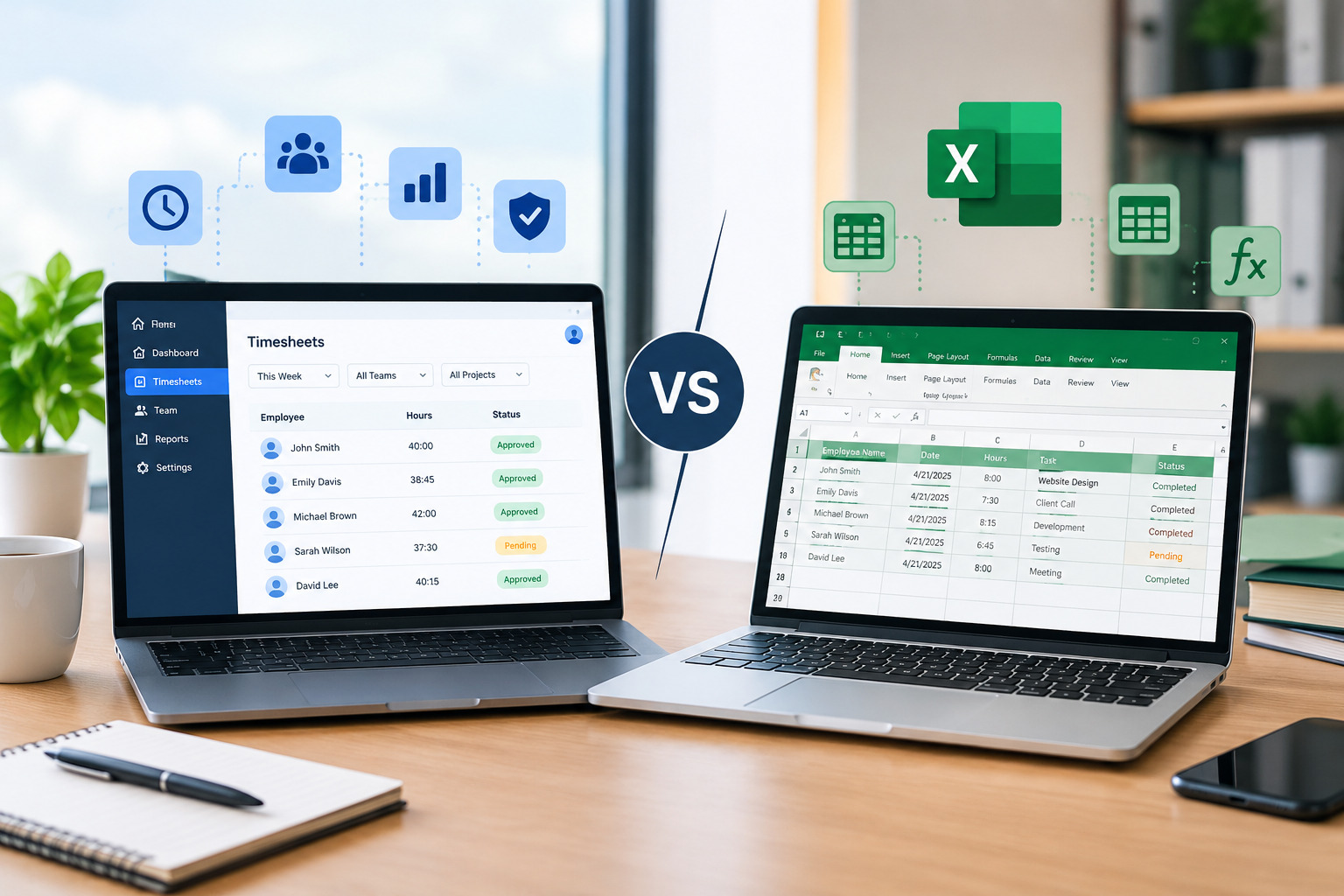
Manual Scheduling vs. Automated Shift Planning
Manual scheduling is not necessarily a problem for every business. A very small team with predictable working hours may be able to manage schedules with a spreadsheet or simple calendar.
The challenge begins when scheduling complexity increases.
With manual scheduling, managers often need to update multiple documents or communication channels whenever a shift changes. Employees may also have different versions of the schedule if updates are not communicated properly.
Automated scheduling provides a more centralized approach.
| Manual Shift Planning | Automated Shift Planning |
|---|---|
| Schedules created manually | Digital scheduling workflow |
| Availability checked separately | Availability centralized |
| Conflicts found manually | Scheduling conflicts can be flagged |
| Shift swaps handled through messages | Structured shift-swap workflow |
| Open shifts communicated manually | Open shifts can be made available |
| Schedule changes require repeated communication | Updates can be centralized |
| Hours reviewed separately | Scheduling can connect with time tracking |
| More administrative work | Less repetitive scheduling work |
The purpose of automation is not simply to replace a spreadsheet. It is to create a connected process in which scheduling, workforce availability, attendance, and time information can work together.
Also Read : Manual Scheduling vs. Scheduling Software: Which Is Better for Your Business?
How to Automate Employee Shift Planning Step by Step
1. Centralize Employee Information
The first step toward automated scheduling is creating a reliable source of employee information.
Managers should have access to relevant information such as employee availability, assigned roles, working patterns, time-off requests, locations, and other scheduling requirements.
When this information is stored across separate spreadsheets, emails, and messages, managers have to repeatedly search for information before creating a schedule.
A centralized system reduces this administrative effort.
It also gives managers a better starting point when building schedules because important workforce information can be reviewed in one place.
2. Define Your Staffing Requirements
Automation works best when the business understands what each shift requires.
Before creating schedules, identify the staffing requirements for different periods.
For example, a retail business may need more employees during peak shopping hours. A service business may need additional technicians during high-demand periods. A healthcare or support organization may require specific roles to be covered throughout the day.
Understanding demand allows managers to plan staffing around actual operational requirements rather than simply assigning employees to available hours.
Demand-based scheduling is particularly useful because it helps businesses match workforce capacity with expected workload.
3. Create Recurring Shift Templates
Many businesses have schedules that follow predictable patterns.
For example, employees may regularly work:
- Morning shifts
- Afternoon shifts
- Evening shifts
- Weekend shifts
- Specific weekly patterns
- Repeating multi-week schedules
Creating these schedules manually every week wastes time.
Recurring shift templates allow managers to establish common scheduling patterns once and reuse them.
This is particularly helpful for businesses with predictable staffing requirements.
Instead of rebuilding the same schedule repeatedly, managers can start with an existing structure and make adjustments where necessary.
Office1Solution’s Scheduling Timesheet platform supports recurring shift templates as part of its scheduling functionality.
4. Use Employee Availability During Scheduling
Employee availability should be considered before assigning shifts rather than after a schedule has been created.
For example, an employee may only be available during certain hours because of education, transportation, family responsibilities, or another commitment.
If availability is not considered during schedule creation, managers may need to make multiple corrections after publishing the schedule.
A structured availability process allows managers to make better scheduling decisions from the beginning.
It can also reduce unnecessary schedule changes and employee conflicts.
5. Automate Conflict Detection
One of the most useful aspects of scheduling automation is the ability to identify potential conflicts.
Common scheduling problems include double-booking an employee, creating coverage gaps, assigning shifts during unavailable periods, or creating overlapping assignments.
When managers check these issues manually, mistakes can easily be missed, especially when schedules involve many employees.
Automated scheduling systems can help identify problems before the schedule is finalized.
Office1Solution’s scheduling solution includes coverage-gap and double-booking detection, helping managers identify important scheduling issues during schedule creation.
6. Automate Shift Coverage Management
Unexpected absences are an unavoidable part of workforce management.
When an employee calls out, the manager needs to find an appropriate replacement without creating another scheduling problem.
The traditional approach may involve contacting employees one by one.
A more organized approach is to maintain visibility into available employees, open shifts, current schedules, and working hours.
Some scheduling platforms allow qualified employees to view and pick up open shifts according to business rules and approval processes.
Office1Solution supports open-shift self-service pickup as part of its scheduling functionality.
This can give managers another option for filling coverage gaps without rebuilding the entire schedule.
Automate Employee Shift Swapping
Employee shift swaps are another area where automation can reduce administrative work.
Employees sometimes need to exchange shifts because of appointments, personal commitments, or unexpected changes.
With a manual process, an employee may need to find a coworker, send messages to the manager, wait for approval, and then make sure everyone is working from the updated schedule.
A structured digital process makes this easier.
An employee can request a shift change, the manager can review the proposed replacement, and the approved schedule can be updated in the central system.
However, automation should not mean automatically approving every shift swap.
Managers should still consider employee qualifications, existing schedules, working hours, overtime, and location requirements before approving changes.
This creates a balance between employee flexibility and operational control.
Automate Schedule Updates and Communication
A schedule is only useful if employees know which version is current.
Manual communication becomes difficult when schedules change frequently.
For example, a manager may update a spreadsheet but forget to notify one employee. Another employee may rely on an older message. This can lead to missed shifts, confusion, or incorrect attendance.
A centralized scheduling system provides one official source of scheduling information.
When changes are made, employees can refer to the updated schedule rather than searching through multiple messages.
Real-time schedule updates can be particularly useful for businesses where shifts change frequently. Office1Solution’s scheduling functionality includes real-time schedule updates.
Connect Shift Planning With Employee Time Tracking
Automating shift planning becomes even more useful when scheduling is connected with actual time worked.
A schedule represents what the business planned.
Time tracking represents what actually happened.
These two sets of information can reveal important differences.
For example, an employee may be scheduled to work eight hours but regularly work nine hours. If managers only review the schedule, they may not realize that the employee is consistently working beyond the planned shift.
Comparing planned and actual hours can help identify:
- Recurring overtime
- Extended shifts
- Late clock-outs
- Staffing shortages
- Workload problems
- Inaccurate staffing assumptions
- Scheduling patterns that need adjustment
Office1Solution connects scheduling with time tracking and timesheet processes, allowing businesses to compare planned and actual working hours.
This turns scheduling from a simple planning activity into a continuous workforce improvement process.
Use Automation to Control Overtime
Overtime can become expensive when managers repeatedly rely on the same employees to cover additional shifts.
This often happens when managers do not have complete visibility into employee schedules and working hours.
Automated workforce coordination can help managers identify employee workloads before assigning additional shifts.
For example, before approving an extra shift, managers can review an employee’s existing schedule and actual hours.
This makes it easier to identify situations where assigning another shift could contribute to excessive hours.
Comparing planned schedules with actual time worked is also important because an employee may regularly work beyond the scheduled hours.
The objective is not necessarily to eliminate overtime. Some overtime may be necessary. The objective is to make overtime more visible and intentional.
Automate Workforce Coordination Across Multiple Locations
Workforce coordination becomes significantly more complicated when employees work across multiple locations.
A manager may need to know:
- Which employees are assigned to each location?
- Where are coverage gaps?
- Can an employee work at another location?
- Does the employee have another shift elsewhere?
- Is travel time practical?
- Are the required skills available at each location?
Managing this through separate spreadsheets can create unnecessary complexity.
A centralized scheduling system allows managers to view workforce assignments more consistently.
This is particularly important for businesses operating across stores, offices, client sites, branches, or service locations.
For multi-location organizations, centralized scheduling can help reduce duplicate assignments and improve visibility across the workforce.
Use Automation for Different Shift Patterns
Not every business operates with the same scheduling model.
Some organizations use fixed shifts, while others rely on rotating shifts, split shifts, flexible schedules, or variable staffing based on demand.
Automation should be flexible enough to support the scheduling patterns used by the business.
For example, recurring templates can support predictable schedules, while multi-week scheduling views can help managers plan more complex workforce patterns.
Office1Solution’s scheduling functionality includes weekly and multi-week schedule views, recurring shift templates, split shifts, shift swaps, and open-shift pickup.
The right scheduling structure depends on the business, but the principle remains the same: reduce repetitive work while maintaining visibility and control.
Automate Last-Minute Shift Changes
Last-minute changes cannot always be avoided.
Employees become sick, customer demand changes, projects take longer than expected, or operational priorities shift.
The problem occurs when every change requires the manager to manually rebuild the schedule.
A better process is to maintain a structured workflow for schedule changes.
Managers should be able to identify the affected shift, review available employees, check working hours and qualifications, assign coverage, and communicate the updated schedule.
This reduces the risk of solving one scheduling problem by creating another.
For example, assigning an available employee to cover an absence without checking their existing schedule could result in overlapping shifts or unnecessary overtime.
Automation helps provide the information needed to make a better decision.
Automate Workforce Coordination, Not Just Scheduling
Workforce coordination involves more than assigning shifts.
Managers also need to coordinate:
Employee Availability
Managers need current information about when employees can and cannot work.
Time-Off Requests
Approved leave should be visible during schedule creation so employees are not accidentally assigned to unavailable periods.
Shift Swaps
Employees need a clear process for requesting schedule changes while managers retain appropriate approval control.
Coverage
Managers need to know whether every required position is adequately staffed.
Attendance
Actual clock-in and clock-out information provides visibility into what happened after a schedule was created.
Timesheets
Connecting scheduling and time records helps managers identify differences between planned and actual hours.
When these processes operate separately, managers may need to repeatedly move information between systems.
Connecting them creates a more complete workforce coordination process.
Benefits of Automating Employee Shift Planning
Saves Manager Time
One of the biggest advantages of automation is reducing repetitive administrative work.
Instead of rebuilding schedules, checking every conflict manually, and communicating every small update individually, managers can focus on reviewing exceptions and making important staffing decisions.
Reduces Scheduling Errors
Automated conflict detection and centralized scheduling information can reduce common errors such as double bookings and coverage gaps.
Improves Workforce Visibility
Managers gain a clearer view of schedules, assignments, employee availability, and working hours.
Makes Shift Changes Easier
A structured process for swaps, open shifts, and schedule updates makes workforce changes easier to coordinate.
Supports Better Labor Management
When scheduling and actual hours are connected, managers can identify overtime patterns and differences between planned and actual staffing.
Improves Employee Experience
Employees benefit from clearer schedules, better visibility, structured shift changes, and more predictable communication.
Supports Business Growth
A scheduling process that works for a small team may become difficult as the organization expands.
Automation provides a more scalable way to manage workforce coordination as scheduling complexity increases.
How to Choose Employee Scheduling Software for Automation
Businesses should not choose scheduling software simply because it offers automated scheduling.
The software should address the actual problems the organization is experiencing.
Start by identifying the biggest scheduling challenges.
Are managers spending too much time creating schedules? Are employees frequently requesting changes? Are there recurring coverage problems? Is overtime increasing? Are schedules spread across multiple spreadsheets? Are managers struggling to coordinate multiple locations?
Once the primary problems are identified, compare software based on the capabilities that directly address them.
Look for Centralized Scheduling
The platform should provide a clear place to create, view, and manage employee schedules.
Check Availability Management
Employee availability should be easy to maintain and consider during scheduling.
Look for Conflict Detection
Features that identify double bookings and coverage gaps can help managers catch problems before schedules are finalized.
Consider Shift-Swap Management
A structured shift-swap workflow can reduce manual communication while maintaining manager oversight.
Evaluate Time Tracking Integration
Connecting schedules with actual attendance and timesheets can provide better visibility into workforce performance.
Check Scalability
The scheduling system should be able to support the organization’s future workforce and operational complexity.
Consider Employee Self-Service
Employee access to schedules, shift opportunities, and scheduling requests can reduce unnecessary administrative communication.
Common Mistakes When Automating Employee Scheduling
Automation can improve scheduling, but businesses still need a thoughtful process.
One common mistake is automating a poorly designed scheduling process. If the underlying rules are unclear, technology may simply make an inefficient process faster.
Another mistake is ignoring employee availability. A schedule may look efficient from a business perspective but create unnecessary conflicts if employee constraints are not considered.
Businesses should also avoid relying completely on automated decisions without reviewing exceptions.
Managers still need to consider business requirements, employee skills, fairness, overtime, location requirements, and unexpected operational circumstances.
Automation should support managers—not remove human judgment from workforce planning.
How to Implement Automated Shift Planning Successfully
A gradual implementation is often easier than changing the entire scheduling process overnight.
Start by documenting how scheduling currently works.
Identify where managers spend the most time and where errors occur most frequently.
Next, centralize employee information and establish clear scheduling rules.
Then introduce automated scheduling features such as recurring templates, availability management, conflict detection, shift swaps, and open-shift management.
After implementation, review scheduling data regularly.
Look for recurring coverage gaps, overtime patterns, frequent shift changes, and differences between planned and actual hours.
The objective should be continuous improvement.
Over time, the business can refine its scheduling rules and workforce planning approach based on actual operational data.
How Office1Solution Supports Automated Shift Planning and Workforce Coordination
Office1Solution provides workforce management tools designed to help businesses coordinate employee schedules, attendance, and working hours from a centralized platform.
Its Scheduling Timesheet solution supports weekly and multi-week scheduling, recurring shift templates, coverage-gap detection, double-booking detection, shift swaps, open-shift self-service pickup, split shifts, and real-time schedule updates.
The platform also connects scheduling with time tracking and timesheets. GPS-verified attendance, automatic exception flagging, and automatically generated timesheets can help businesses connect planned schedules with actual employee working time.
This approach can be useful for businesses that want to move beyond spreadsheet-based scheduling and create a more connected workforce coordination process.
Businesses can explore the employee scheduling solution to understand how scheduling and workforce time management can work together.
Best Practices for Automated Workforce Coordination
Automation works best when combined with clear workforce management practices.
Keep Employee Information Updated
Outdated availability, roles, or working information can lead to poor scheduling decisions.
Review Exceptions
Automation can identify problems, but managers should review important exceptions before finalizing schedules.
Publish Schedules Clearly
Employees should know where the official schedule is located and how schedule changes are communicated.
Monitor Planned vs. Actual Hours
Regularly comparing scheduled hours with actual working hours can reveal overtime and staffing problems.
Maintain a Clear Shift-Swap Policy
Employees should understand when and how they can request shift changes.
Review Coverage Regularly
A schedule should not only look complete on paper. Managers should confirm that the right people and skills are available when needed.
Use Scheduling Data for Continuous Improvement
Recurring scheduling problems can reveal deeper workforce issues. Use the data to improve future schedules rather than repeatedly fixing the same problems.
Frequently Asked Questions
What is automated employee shift planning?
Automated employee shift planning uses scheduling software to simplify the creation, management, updating, and coordination of employee work schedules. It can help with recurring shifts, availability, coverage, conflicts, shift changes, and workforce visibility.
Can employee scheduling software automatically create schedules?
Some scheduling platforms provide automation features that can reduce the amount of manual work required to create schedules. The level of automation varies by platform. Managers should still review schedules to ensure they meet business requirements and employee needs.
How does automation reduce scheduling errors?
Automation can identify issues such as double bookings and coverage gaps and provide centralized scheduling information. This reduces the need for managers to manually check every assignment.
Can scheduling automation reduce overtime?
It can help managers gain better visibility into employee schedules and working hours, making it easier to identify potential overtime before assigning additional shifts. Comparing planned and actual hours can also reveal recurring overtime patterns.
How does automation help with employee shift swaps?
A digital shift-swap process allows employees to request changes while managers can review availability, qualifications, existing working hours, and coverage before approving the change.
Can automated scheduling work for small businesses?
Yes. Small businesses can benefit from automation when scheduling begins consuming significant management time or when manual processes create frequent conflicts, changes, or coverage problems.
Is automated scheduling suitable for multiple locations?
Yes. Centralized scheduling can help managers coordinate employee assignments across locations and maintain better visibility into coverage and working hours.
Does automated scheduling replace managers?
No. Scheduling automation is intended to reduce repetitive administrative work and improve workforce visibility. Managers still need to make decisions about staffing, employee needs, business priorities, and exceptions.
Final Thoughts
Employee shift planning becomes increasingly complex when businesses need to balance employee availability, staffing requirements, business demand, overtime, time off, shift changes, and unexpected absences.
Manual scheduling can work for simple teams, but as workforce complexity increases, spreadsheets and disconnected communication channels can create unnecessary administrative work and scheduling errors.
Automating employee shift planning provides a more structured approach.
Businesses can centralize employee information, create recurring schedules, identify coverage gaps, detect scheduling conflicts, manage shift swaps, coordinate open shifts, and connect schedules with actual time records.
The most effective approach is not to automate every decision blindly. Instead, businesses should use technology to handle repetitive scheduling tasks while allowing managers to focus on workforce decisions that require human judgment.
When scheduling, attendance, and workforce coordination work together, businesses can build a more efficient and predictable scheduling process.
For organizations looking to improve workforce coordination, the goal should be simple: put the right people in the right shifts, maintain the right coverage, reduce unnecessary administrative work, and use workforce data to continuously improve scheduling decisions.
Recent Posts
- Time and Attendance Software: Complete Guide for Employers

- Time and Attendance: What’s the Difference Between the Two?

- How to Reduce Timesheet Errors and Improve Payroll Accuracy

- Timesheet App for Employees: Features, Benefits & Best Practices

- Timesheet Software vs. Excel: Which Is Better for Businesses?
Stay Ahead. Simplify Workforce Management.
Empower your teams to work efficiently with a unified workforce platform built for clarity, control, and actionable insights across your organization.