
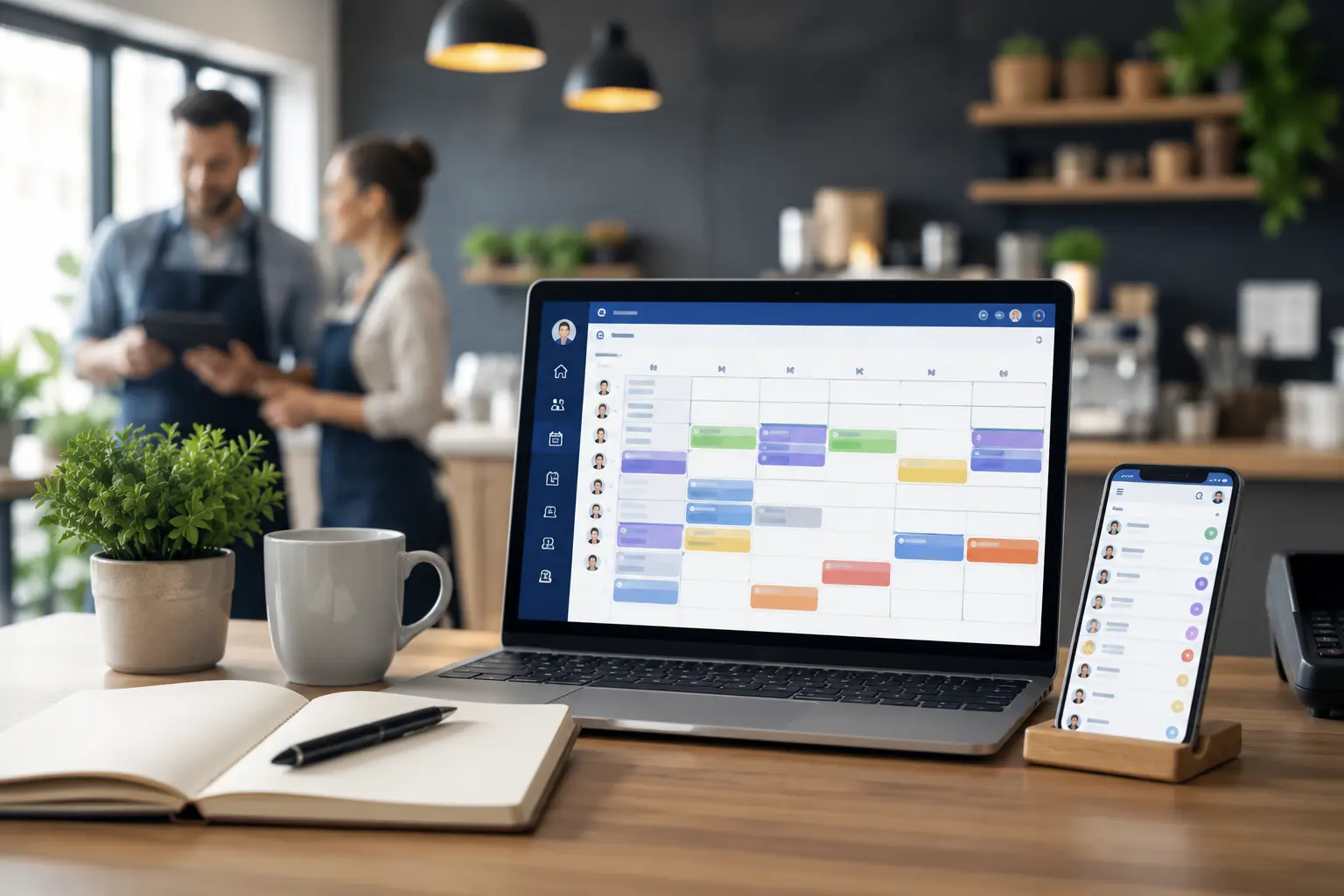
Small businesses are constantly looking for ways to improve efficiency, reduce operating costs, and deliver better customer service without significantly increasing overhead. While hiring additional staff may seem like the obvious solution, many growing businesses discover that improving internal processes often delivers greater results than expanding the workforce.
One area that frequently becomes a bottleneck is employee scheduling. What starts as a simple weekly schedule managed in Excel or on paper can quickly become a time-consuming administrative task as the business grows. Managers spend hours adjusting shifts, handling leave requests, resolving scheduling conflicts, and communicating updates to employees.
This growing complexity is one of the primary reasons why small businesses across industries are switching to employee scheduling software. Modern scheduling platforms automate repetitive tasks, improve workforce visibility, reduce scheduling errors, and allow managers to focus on growing the business rather than maintaining spreadsheets.
In this guide, we’ll explore why more small businesses are adopting scheduling software, the challenges of manual scheduling, and how the right solution can improve workforce management and profitability.
The Challenges Small Businesses Face with Manual Scheduling
Most small businesses begin with manual scheduling because it appears simple and inexpensive. A spreadsheet or printed schedule may work when managing only a handful of employees.
However, business growth often introduces new challenges that manual scheduling struggles to handle.
Managers must balance employee availability, customer demand, labor budgets, overtime, shift swaps, and leave requests while ensuring adequate staffing every day.
As the workforce expands, scheduling becomes increasingly difficult, often consuming several hours every week.
Instead of focusing on customers or business growth, managers find themselves constantly updating schedules and responding to employee messages.
Why Scheduling Is Critical for Small Business Success
Employee scheduling directly affects every aspect of business operations.
Poor scheduling can result in:
- Understaffed shifts
- Overstaffing during slow periods
- Increased labor costs
- Employee dissatisfaction
- Customer service delays
- Payroll inaccuracies
A well-planned schedule ensures employees are available when needed while maintaining operational efficiency and controlling labor expenses.
Scheduling is no longer simply an administrative task—it has become a strategic business function.
Also Read : Scheduling Mistakes That Cost Businesses Thousands Every Year (2026 Guide)
1. Small Businesses Want to Save Management Time
Time is one of the most valuable resources for small business owners.
Unlike larger organizations, managers often handle multiple responsibilities including operations, hiring, customer service, payroll, and scheduling.
Creating employee schedules manually every week can consume several hours.
Scheduling software automates repetitive scheduling tasks, allowing managers to create schedules in minutes rather than hours.
The time saved can be invested in customer service, employee development, marketing, and business growth.
2. Growing Teams Need Better Organization
As businesses hire more employees, scheduling complexity increases significantly.
Managers must coordinate:
- Full-time employees
- Part-time staff
- Temporary workers
- Weekend shifts
- Holiday schedules
- Employee availability
Managing this information manually becomes increasingly difficult.
Scheduling software centralizes workforce information, making it easier to organize employees and maintain accurate schedules.
3. Employees Expect Better Communication
Today’s employees expect digital communication.
Printed schedules and spreadsheets often result in:
- Missed updates
- Confusion
- Scheduling conflicts
- Increased absenteeism
Scheduling software provides employees with mobile access to their schedules and instant notifications whenever shifts change.
This improves communication while reducing scheduling errors.
4. Small Businesses Need to Control Labor Costs
Labor is one of the largest operating expenses for most small businesses.
Poor scheduling often creates unnecessary overtime, duplicate shifts, or inefficient staffing levels.
Scheduling software helps managers:
- Monitor labor costs
- Prevent unnecessary overtime
- Optimize staffing
- Match employee availability with business demand
Better scheduling directly contributes to healthier profit margins.
5. Shift Changes Happen Every Week
Unexpected schedule changes are inevitable.
Employees become sick, request leave, or need shift swaps.
Manual scheduling requires managers to:
- Update spreadsheets
- Contact employees individually
- Confirm schedule changes
- Distribute new versions
Scheduling software automates this process while keeping everyone informed in real time.
Managers spend less time handling administrative work and more time supporting business operations.
6. Small Businesses Want to Improve Employee Satisfaction
Employee scheduling plays an important role in workplace satisfaction.
Employees appreciate:
- Fair schedules
- Advance notice
- Easy leave requests
- Flexible shift swaps
- Clear communication
Scheduling software improves transparency while allowing employees to view schedules from anywhere.
Businesses that improve scheduling often experience better employee retention and engagement.
7. Payroll Accuracy Is Becoming More Important
Manual scheduling often creates payroll challenges.
Incorrect work hours, overtime calculations, and attendance discrepancies require manual corrections before payroll processing.
Scheduling software integrates with attendance and timesheet systems, helping ensure payroll is based on accurate workforce data.
Internal Link Opportunity
Learn how our Timesheet Management Software helps simplify payroll through accurate work-hour tracking.
8. Businesses Are Expanding to Multiple Locations
Many successful small businesses eventually expand into multiple branches or service areas.
Managing schedules across different locations using spreadsheets becomes increasingly complicated.
Scheduling software allows managers to coordinate employees across multiple locations while maintaining centralized workforce visibility.
This makes expansion far easier to manage.
9. Better Workforce Visibility Improves Decision-Making
Business owners need quick answers to questions like:
- Who is working today?
- Which employees are available?
- Where is overtime occurring?
- Which shifts remain uncovered?
Manual scheduling rarely provides this information efficiently.
Scheduling software delivers real-time dashboards that help managers make faster and more informed workforce decisions.
10. Small Businesses Want to Compete with Larger Companies
Large organizations have invested in workforce management technology for years.
Today, cloud-based scheduling software allows small businesses to access many of the same capabilities without enterprise-level budgets.
Small businesses can now benefit from:
- Automated scheduling
- Workforce analytics
- Mobile scheduling
- Employee self-service
- Attendance tracking
- Workforce reporting
Technology helps smaller businesses operate more professionally while remaining competitive.
Additional Benefits of Scheduling Software
Beyond creating schedules faster, businesses often experience improvements across multiple operational areas.
These benefits include:
- Improved employee accountability
- Reduced scheduling conflicts
- Better customer service
- Higher productivity
- More efficient workforce planning
- Reduced administrative workload
- Better labor forecasting
- Improved compliance
Scheduling software becomes an investment that supports long-term business growth rather than simply replacing spreadsheets.
Also Read : Best Employee Scheduling Practices for Multi-Location Businesses (2026 Guide)
How Scheduling Software Supports Business Growth
As businesses expand, workforce complexity increases.
Scheduling software grows alongside the organization.
Whether hiring additional employees, opening new locations, or expanding operating hours, scheduling software provides the flexibility needed to manage changing workforce demands.
Instead of rebuilding scheduling processes every time the business grows, organizations can continue using the same centralized platform.
How Office1Solution Helps Small Businesses
Office1Solution provides employee scheduling software designed to simplify workforce management for growing businesses.
The platform enables organizations to:
- Create employee schedules quickly
- Track attendance
- Manage timesheets
- Improve workforce visibility
- Coordinate multiple locations
- Generate workforce reports
By connecting scheduling with attendance and workforce management, businesses reduce administrative work while improving operational efficiency.
Whether you operate a retail store, healthcare clinic, warehouse, field service company, or professional services business, Office1Solution helps simplify workforce operations.
Explore our Employee Scheduling Software to automate employee scheduling and improve workforce coordination.
Choosing the Right Scheduling Software
When evaluating scheduling software, small businesses should look for:
- Easy implementation
- Mobile access
- Employee self-service
- Automated scheduling
- Attendance integration
- Timesheet management
- Payroll compatibility
- Multi-location support
- Workforce reporting
- Affordable pricing
Choosing scalable software ensures your scheduling solution continues supporting your business as it grows.
Frequently Asked Questions
Why are small businesses switching to scheduling software?
Small businesses are adopting scheduling software to save time, reduce scheduling errors, improve communication, and better manage labor costs.
Is scheduling software affordable for small businesses?
Yes. Many cloud-based scheduling solutions offer affordable pricing designed specifically for small and growing businesses.
Can scheduling software reduce overtime?
Yes. Scheduling software helps managers monitor employee hours and optimize staffing before overtime becomes excessive.
Does scheduling software improve employee satisfaction?
Absolutely. Better communication, fair scheduling, and mobile schedule access often improve employee engagement and reduce scheduling conflicts.
Final Thoughts
Employee scheduling has become increasingly complex as small businesses grow. While spreadsheets may work during the early stages, they often create unnecessary administrative work, communication challenges, and scheduling errors over time.
Scheduling software allows small businesses to automate repetitive tasks, improve workforce visibility, reduce labor costs, and provide employees with a better scheduling experience.
By investing in scheduling technology early, small businesses create scalable workforce processes that support long-term growth while allowing managers to focus on serving customers and expanding the business.
Why Small Businesses Are Switching to Scheduling Software (2026 Guide)
Small businesses are constantly looking for ways to improve efficiency, reduce operating costs, and deliver better customer service without significantly increasing overhead. While hiring additional staff may seem like the obvious solution, many growing businesses discover that improving internal processes often delivers greater results than expanding the workforce.
One area that frequently becomes a bottleneck is employee scheduling. What starts as a simple weekly schedule managed in Excel or on paper can quickly become a time-consuming administrative task as the business grows. Managers spend hours adjusting shifts, handling leave requests, resolving scheduling conflicts, and communicating updates to employees.
This growing complexity is one of the primary reasons why small businesses across industries are switching to employee scheduling software. Modern scheduling platforms automate repetitive tasks, improve workforce visibility, reduce scheduling errors, and allow managers to focus on growing the business rather than maintaining spreadsheets.
In this guide, we’ll explore why more small businesses are adopting scheduling software, the challenges of manual scheduling, and how the right solution can improve workforce management and profitability.
The Challenges Small Businesses Face with Manual Scheduling
Most small businesses begin with manual scheduling because it appears simple and inexpensive. A spreadsheet or printed schedule may work when managing only a handful of employees.
However, business growth often introduces new challenges that manual scheduling struggles to handle.
Managers must balance employee availability, customer demand, labor budgets, overtime, shift swaps, and leave requests while ensuring adequate staffing every day.
As the workforce expands, scheduling becomes increasingly difficult, often consuming several hours every week.
Instead of focusing on customers or business growth, managers find themselves constantly updating schedules and responding to employee messages.
Why Scheduling Is Critical for Small Business Success
Employee scheduling directly affects every aspect of business operations.
Poor scheduling can result in:
- Understaffed shifts
- Overstaffing during slow periods
- Increased labor costs
- Employee dissatisfaction
- Customer service delays
- Payroll inaccuracies
A well-planned schedule ensures employees are available when needed while maintaining operational efficiency and controlling labor expenses.
Scheduling is no longer simply an administrative task—it has become a strategic business function.
1. Small Businesses Want to Save Management Time
Time is one of the most valuable resources for small business owners.
Unlike larger organizations, managers often handle multiple responsibilities including operations, hiring, customer service, payroll, and scheduling.
Creating employee schedules manually every week can consume several hours.
Scheduling software automates repetitive scheduling tasks, allowing managers to create schedules in minutes rather than hours.
The time saved can be invested in customer service, employee development, marketing, and business growth.
2. Growing Teams Need Better Organization
As businesses hire more employees, scheduling complexity increases significantly.
Managers must coordinate:
- Full-time employees
- Part-time staff
- Temporary workers
- Weekend shifts
- Holiday schedules
- Employee availability
Managing this information manually becomes increasingly difficult.
Scheduling software centralizes workforce information, making it easier to organize employees and maintain accurate schedules.
3. Employees Expect Better Communication
Today’s employees expect digital communication.
Printed schedules and spreadsheets often result in:
- Missed updates
- Confusion
- Scheduling conflicts
- Increased absenteeism
Scheduling software provides employees with mobile access to their schedules and instant notifications whenever shifts change.
This improves communication while reducing scheduling errors.
4. Small Businesses Need to Control Labor Costs
Labor is one of the largest operating expenses for most small businesses.
Poor scheduling often creates unnecessary overtime, duplicate shifts, or inefficient staffing levels.
Scheduling software helps managers:
- Monitor labor costs
- Prevent unnecessary overtime
- Optimize staffing
- Match employee availability with business demand
Better scheduling directly contributes to healthier profit margins.
5. Shift Changes Happen Every Week
Unexpected schedule changes are inevitable.
Employees become sick, request leave, or need shift swaps.
Manual scheduling requires managers to:
- Update spreadsheets
- Contact employees individually
- Confirm schedule changes
- Distribute new versions
Scheduling software automates this process while keeping everyone informed in real time.
Managers spend less time handling administrative work and more time supporting business operations.
6. Small Businesses Want to Improve Employee Satisfaction
Employee scheduling plays an important role in workplace satisfaction.
Employees appreciate:
- Fair schedules
- Advance notice
- Easy leave requests
- Flexible shift swaps
- Clear communication
Scheduling software improves transparency while allowing employees to view schedules from anywhere.
Businesses that improve scheduling often experience better employee retention and engagement.
7. Payroll Accuracy Is Becoming More Important
Manual scheduling often creates payroll challenges.
Incorrect work hours, overtime calculations, and attendance discrepancies require manual corrections before payroll processing.
Scheduling software integrates with attendance and timesheet systems, helping ensure payroll is based on accurate workforce data.
Learn how our Timesheet Management Software helps simplify payroll through accurate work-hour tracking.
8. Businesses Are Expanding to Multiple Locations
Many successful small businesses eventually expand into multiple branches or service areas.
Managing schedules across different locations using spreadsheets becomes increasingly complicated.
Scheduling software allows managers to coordinate employees across multiple locations while maintaining centralized workforce visibility.
This makes expansion far easier to manage.
9. Better Workforce Visibility Improves Decision-Making
Business owners need quick answers to questions like:
- Who is working today?
- Which employees are available?
- Where is overtime occurring?
- Which shifts remain uncovered?
Manual scheduling rarely provides this information efficiently.
Scheduling software delivers real-time dashboards that help managers make faster and more informed workforce decisions.
10. Small Businesses Want to Compete with Larger Companies
Large organizations have invested in workforce management technology for years.
Today, cloud-based scheduling software allows small businesses to access many of the same capabilities without enterprise-level budgets.
Small businesses can now benefit from:
- Automated scheduling
- Workforce analytics
- Mobile scheduling
- Employee self-service
- Attendance tracking
- Workforce reporting
Technology helps smaller businesses operate more professionally while remaining competitive.
Additional Benefits of Scheduling Software
Beyond creating schedules faster, businesses often experience improvements across multiple operational areas.
These benefits include:
- Improved employee accountability
- Reduced scheduling conflicts
- Better customer service
- Higher productivity
- More efficient workforce planning
- Reduced administrative workload
- Better labor forecasting
- Improved compliance
Scheduling software becomes an investment that supports long-term business growth rather than simply replacing spreadsheets.
How Scheduling Software Supports Business Growth
As businesses expand, workforce complexity increases.
Scheduling software grows alongside the organization.
Whether hiring additional employees, opening new locations, or expanding operating hours, scheduling software provides the flexibility needed to manage changing workforce demands.
Instead of rebuilding scheduling processes every time the business grows, organizations can continue using the same centralized platform.
How Office1Solution Helps Small Businesses
Office1Solution provides employee scheduling software designed to simplify workforce management for growing businesses.
The platform enables organizations to:
- Create employee schedules quickly
- Track attendance
- Manage timesheets
- Improve workforce visibility
- Coordinate multiple locations
- Generate workforce reports
By connecting scheduling with attendance and workforce management, businesses reduce administrative work while improving operational efficiency.
Whether you operate a retail store, healthcare clinic, warehouse, field service company, or professional services business, Office1Solution helps simplify workforce operations.
Explore our Employee Scheduling Software to automate employee scheduling and improve workforce coordination.
Choosing the Right Scheduling Software
When evaluating scheduling software, small businesses should look for:
- Easy implementation
- Mobile access
- Employee self-service
- Automated scheduling
- Attendance integration
- Timesheet management
- Payroll compatibility
- Multi-location support
- Workforce reporting
- Affordable pricing
Choosing scalable software ensures your scheduling solution continues supporting your business as it grows.
Frequently Asked Questions
Why are small businesses switching to scheduling software?
Small businesses are adopting scheduling software to save time, reduce scheduling errors, improve communication, and better manage labor costs.
Is scheduling software affordable for small businesses?
Yes. Many cloud-based scheduling solutions offer affordable pricing designed specifically for small and growing businesses.
Can scheduling software reduce overtime?
Yes. Scheduling software helps managers monitor employee hours and optimize staffing before overtime becomes excessive.
Does scheduling software improve employee satisfaction?
Absolutely. Better communication, fair scheduling, and mobile schedule access often improve employee engagement and reduce scheduling conflicts.
Final Thoughts
Employee scheduling has become increasingly complex as small businesses grow. While spreadsheets may work during the early stages, they often create unnecessary administrative work, communication challenges, and scheduling errors over time.
Scheduling software allows small businesses to automate repetitive tasks, improve workforce visibility, reduce labor costs, and provide employees with a better scheduling experience.
By investing in scheduling technology early, small businesses create scalable workforce processes that support long-term growth while allowing managers to focus on serving customers and expanding the business.
Recent Posts
- Time and Attendance Software: Complete Guide for Employers

- Time and Attendance: What’s the Difference Between the Two?

- How to Reduce Timesheet Errors and Improve Payroll Accuracy

- Timesheet App for Employees: Features, Benefits & Best Practices

- Timesheet Software vs. Excel: Which Is Better for Businesses?
Stay Ahead. Simplify Workforce Management.
Empower your teams to work efficiently with a unified workforce platform built for clarity, control, and actionable insights across your organization.