
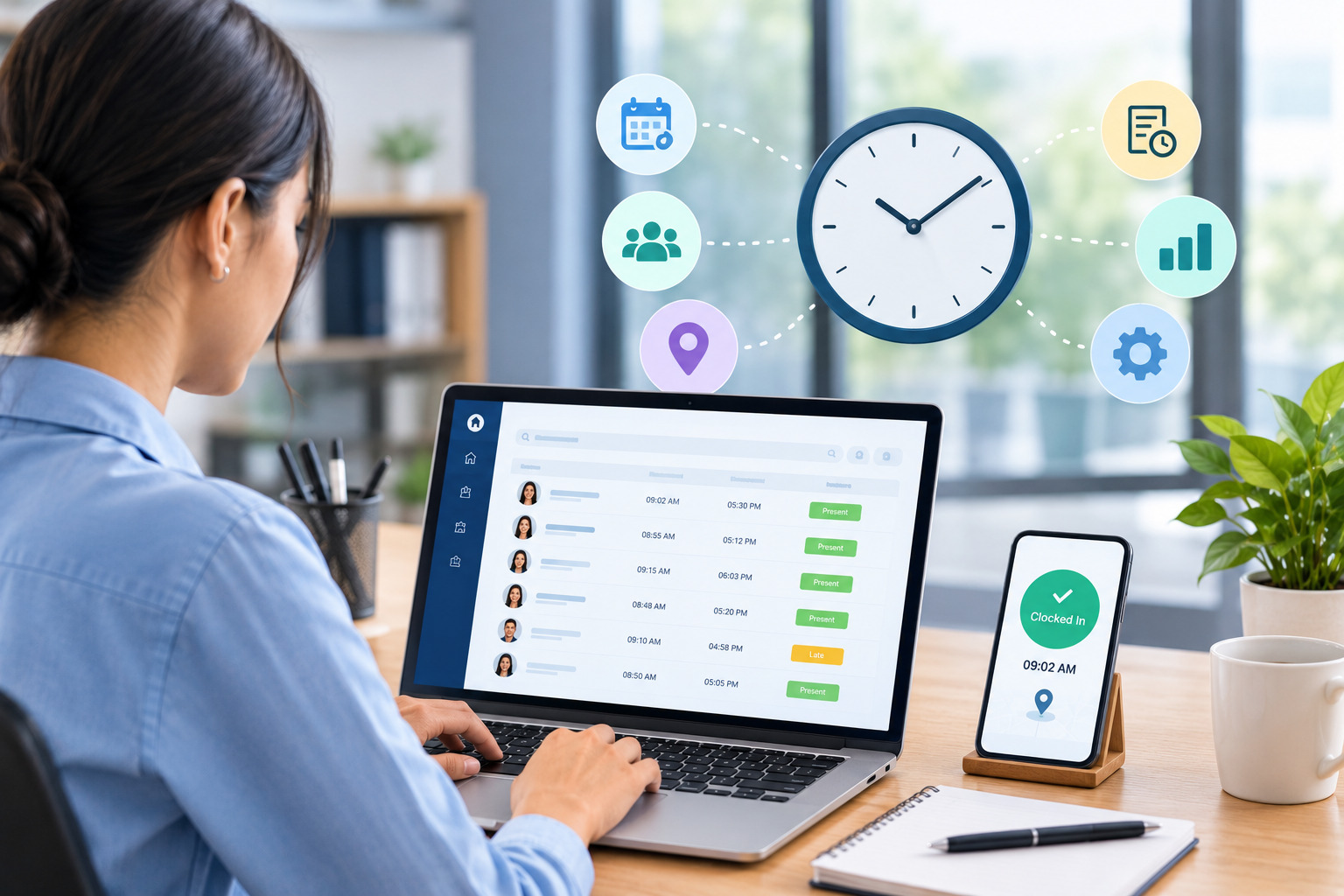
Employee time tracking is an important part of workforce management. Businesses need to know how many hours employees work, when they start and finish their shifts, whether they are working according to their schedules, and how actual working hours affect payroll, overtime, productivity, and labor costs.
For small teams, tracking employee hours may seem simple. A manager might use a spreadsheet, paper timesheet, or basic attendance record. However, as a business grows, employee schedules become more complex. Different shifts, remote employees, multiple locations, overtime, time-off requests, missed clock-ins, and changing work patterns can make manual time tracking increasingly difficult.
A structured employee time tracking process gives employers better visibility into working hours while creating a more reliable record for payroll, workforce planning, and management decisions.
Modern time tracking software can take this process further by capturing employee working hours digitally, automating calculations, identifying exceptions, connecting schedules with actual hours, and generating reports.
This complete guide explains what employee time tracking is, why it matters, how it works, common methods, benefits, challenges, best practices, privacy considerations, and when employers should consider moving from manual timesheets to dedicated time tracking software.
What Is Employee Time Tracking?
Employee time tracking is the process of recording and monitoring the amount of time employees spend working.
Depending on the organization, time tracking may include:
- Clock-in and clock-out times
- Start and end times
- Breaks
- Total hours worked
- Overtime
- Scheduled hours
- Actual hours
- Attendance
- Absences
- Project or task hours
- Location
- Shift information
The purpose of time tracking is not simply to record hours for payroll.
Accurate time data can help employers understand staffing requirements, identify overtime patterns, compare planned and actual working hours, improve scheduling, and make better workforce-management decisions.
For hourly employees in particular, accurate time records are important because compensation may be directly connected to the number of hours worked.
Why Is Time Tracking Important for Employers?
Employee time tracking gives employers a clearer picture of how labor time is being used.
Without reliable time records, managers may have to rely on estimates or manually maintained information. This can make it difficult to determine whether employees are working their planned hours or whether certain shifts consistently require more time than expected.
For example, a business may schedule an employee for eight hours but discover that the employee regularly works an additional hour. If this pattern is not identified, the organization may continue underestimating staffing requirements.
Time tracking helps turn these situations into measurable workforce data.
It can also support payroll preparation, overtime monitoring, attendance management, scheduling decisions, and workforce reporting.
Employee Time Tracking vs. Attendance Tracking
Employee time tracking and attendance tracking are related, but they are not exactly the same.
Attendance tracking generally focuses on whether an employee was present, absent, late, or on leave.
Time tracking goes further by recording the amount of time an employee actually worked.
For example, an attendance system might show that an employee was present on Monday.
A time tracking system could show that the employee clocked in at 8:58 AM, took a recorded break, clocked out at 5:07 PM, and worked a specific number of hours.
Both types of information can be useful.
Attendance data helps employers understand presence and absence patterns, while time data provides more detailed information about working hours.
How Does Employee Time Tracking Work?
The exact process depends on the method used by the business.
A traditional process may require employees to manually record their hours in a paper or spreadsheet timesheet.
A digital process may allow employees to clock in and out through a mobile application, web browser, kiosk, or another approved system.
The recorded information is then stored and calculated.
Managers may review the records for missing punches, unusual working hours, overtime, or other exceptions.
After approval, the information can be used for payroll, reporting, workforce analysis, or other business processes.
A typical digital workflow looks like this:
Employee clocks in → Work time is recorded → Employee clocks out → Hours are calculated → Manager reviews exceptions → Time is approved → Data is used for payroll and reporting
The more automated the system, the less manual calculation and data entry managers may need to perform.
Common Methods of Tracking Employee Time
Businesses can choose from several approaches to employee time tracking.
Paper Timesheets
Paper timesheets are one of the simplest methods.
Employees write down their working hours, breaks, and total time worked. At the end of the week or pay period, a manager reviews the information.
This method may work for a very small team with predictable schedules.
However, paper records can become difficult to organize as the workforce grows. Calculations also have to be performed manually, and correcting errors can require additional administrative work.
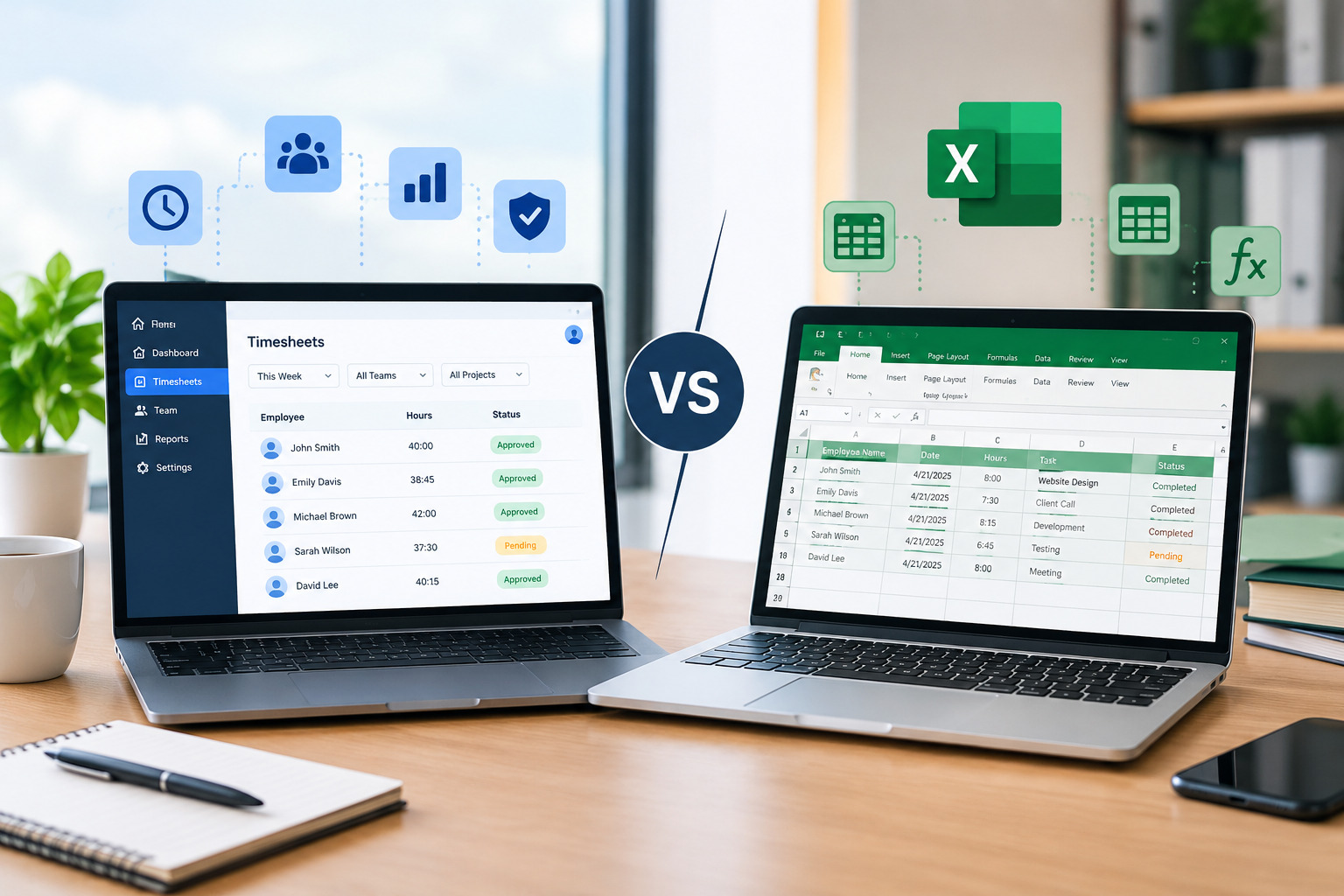
Spreadsheet Timesheets
Many businesses use Excel or Google Sheets to track employee hours.
Spreadsheets provide more flexibility than paper because formulas can calculate total hours and managers can sort or filter information.
However, spreadsheets still depend heavily on manual data entry.
They can also create version-control problems when several people maintain copies of the same file.
As employee numbers and scheduling complexity increase, spreadsheets can become difficult to maintain.
Digital Timesheets
Digital timesheets allow employees to enter their hours through an online system.
They can provide better accessibility and organization than paper records.
However, digital does not always mean automated.
If employees still have to manually enter their start time, end time, and total hours, the process can still involve significant manual work.
Time Tracking Software
Dedicated time tracking software can automate more of the process.
Employees may clock in and out digitally, while the system records the time and calculates working hours.
Depending on the platform, employers may also be able to manage overtime, attendance exceptions, approvals, schedules, and reports from the same system.
This can make time tracking more scalable for growing organizations.
What Information Should Employers Track?
The information an employer should track depends on the workforce and business requirements.
For many organizations, useful time-tracking information includes:
Employee
The system should clearly identify whose working time is being recorded.
Date
Each time record should be associated with the correct work date.
Clock-In and Clock-Out
Start and end times provide the foundation for calculating working hours.
Breaks
Where applicable, break periods should be recorded according to company policies and applicable requirements.
Total Hours
The system should calculate or record total working hours.
Overtime
Additional hours should be visible so managers can review overtime.
Shift or Schedule
Connecting time records with scheduled shifts can help employers compare planned and actual hours.
Location
For businesses with field or multi-location employees, location information may be relevant depending on the organization’s policies and applicable requirements.
Exceptions
Missed punches, late arrivals, early departures, or unusual working patterns may require manager review.
Not every employer needs to track all of these categories. The goal should be to collect information that supports legitimate business and workforce-management needs.
Benefits of Employee Time Tracking
1. More Accurate Working-Hour Records
One of the main benefits of time tracking is creating a consistent record of employee working hours.
Accurate records reduce reliance on estimates and make it easier for managers to review how much time employees actually worked.
Digital systems can further reduce manual calculations by automatically calculating hours from clock-in and clock-out records.
2. Better Payroll Preparation
Time records can provide important information for payroll, especially for hourly employees.
When working hours are accurately recorded and approved, payroll teams have a clearer source of information for calculating employee compensation.
A structured process can also reduce the amount of manual data transfer between managers and payroll teams.
3. Improved Overtime Visibility
Employers need to understand how much overtime employees are working and why it is occurring.
Time tracking makes additional working hours more visible.
If certain employees repeatedly work beyond their scheduled hours, managers can investigate whether the cause is understaffing, excessive workload, scheduling problems, employee availability, or operational demand.
For more information about the relationship between scheduling and overtime, employers can also review Office1Solution’s content on managing employee overtime through better scheduling.
4. Better Workforce Planning
Time data can help employers understand how much labor is actually required.
Suppose a business consistently schedules six employees during a particular period, but actual working data shows that employees regularly need additional hours.
This may indicate that the business needs to reconsider staffing levels or shift design.
Time tracking therefore provides information that can improve future scheduling decisions.
5. Planned vs. Actual Hour Visibility
One of the most useful applications of time tracking is comparing planned hours with actual hours.
For example:
Planned: 40 hours
Actual: 44 hours
The four-hour difference deserves attention.
Was there unexpected demand? Did an employee stay late? Was there a staffing shortage? Did a project take longer than expected?
Without time data, these questions are difficult to answer consistently.
6. Reduced Administrative Work
Manual time tracking requires employees and managers to enter, calculate, check, and approve hours.
Automated time tracking can reduce repetitive administrative tasks.
Instead of manually calculating every employee’s weekly hours, managers can focus on reviewing exceptions and approving accurate records.
7. Better Workforce Visibility
A centralized time tracking system gives managers a clearer view of employee hours.
This can be particularly useful for organizations with multiple departments, shifts, locations, or work arrangements.
8. Improved Scheduling Decisions
Time tracking and employee scheduling work best when they are considered together.
A schedule represents what the business planned.
Time tracking shows what actually happened.
Comparing the two helps managers identify recurring differences and improve future schedules.
Employee Time Tracking for Hourly Workers
Time tracking is especially important for hourly employees because their working hours may directly affect compensation.
Hourly workers may have different start times, shift lengths, breaks, overtime, and work locations.
A reliable time tracking process helps employers maintain consistent records across these different working patterns.
For example, a retail employee might work an evening shift, while another employee works a morning shift. A service technician may have a variable schedule based on customer appointments.
Using the same centralized time-tracking process can make it easier to manage these different patterns.
Office1Solution’s existing employee-scheduling guidance specifically connects hourly workforce scheduling with time tracking and timesheets, making this a natural internal link from this article.
Employee Time Tracking for Remote Employees
Remote employees can create different time-tracking requirements from employees working at a fixed location.
Businesses may need to establish clear policies around working hours, clock-in procedures, breaks, and reporting expectations.
A digital time tracking system can provide a centralized way to record working hours without requiring employees to be physically present at a traditional time clock.
However, employers should avoid collecting unnecessary personal information.
The objective should be to track work time appropriately while maintaining transparency and respecting employee privacy.
Employee Time Tracking for Hybrid Teams
Hybrid teams may work partly from an office and partly from another location.
This can make manual attendance records difficult to maintain because employees may not follow the same working pattern every day.
A digital time-tracking process can provide a consistent method for recording work hours across different working arrangements.
Employers should clearly communicate when employees need to record time, how breaks are handled, and how missed or incorrect entries should be corrected.
Time Tracking for Multiple Locations
Businesses with several locations may face additional time-tracking challenges.
For example, a company could have employees working at different branches, stores, warehouses, client locations, or field sites.
Managing separate spreadsheets or paper records for each location can make consolidated reporting difficult.
A centralized time-tracking system can help employers maintain a consistent process while providing managers with a broader view of workforce activity.
Where location verification is appropriate and permitted, businesses can also use location-aware clock-in processes to confirm where employees recorded their working time.
Time Tracking and Employee Scheduling
Time tracking becomes more valuable when it is connected with employee scheduling.
Scheduling answers:
Who is supposed to work, when, and where?
Time tracking answers:
Who actually worked, when, and for how long?
When these two sources of information are connected, employers can identify differences between planned and actual working hours.
For example, if an employee is scheduled from 9 AM to 5 PM but repeatedly clocks out after 6 PM, the pattern may indicate a workload or staffing issue.
Managers can then investigate the reason instead of simply accepting the additional hours.
Office1Solution’s scheduling solution is designed around this connection between schedules, clock records, and timesheets, making its scheduling page a strong internal link for this section.
Time Tracking and Overtime Management
Overtime should be monitored before it becomes a recurring workforce problem.
If an employee repeatedly works beyond scheduled hours, the business should understand why.
Possible causes include:
- Understaffing
- Unexpected demand
- Employee absences
- Poor shift planning
- Last-minute changes
- Uneven workload distribution
- Employees regularly staying late
- Projects taking longer than expected
Time tracking gives managers evidence of these patterns.
The next step is identifying the underlying cause.
If overtime consistently occurs during the same periods, demand-based scheduling may help address the problem.
If the same employees repeatedly work extra hours, managers may need to review workload distribution and employee availability.
For related information, link this section to the existing Office1Solution article about managing employee overtime through better scheduling.
Time Tracking and Payroll
Payroll is one of the most important areas affected by employee time records.
Incorrect working hours can lead to payroll corrections, employee questions, and additional administrative work.
A structured time-tracking process creates a clear workflow for recording and approving hours before payroll processing.
A typical process may look like:
Time Capture → Review → Exception Handling → Approval → Payroll
The exact workflow depends on the company’s payroll system and policies.
Employers should also ensure that their time-tracking practices comply with applicable wage-and-hour requirements.
Time Tracking and Timesheets
Timesheets remain an important part of many workforce-management processes.
However, there is an important distinction between recording time manually and automatically generating time records from clock activity.
A manual timesheet may require employees to enter their hours.
An automated system can use clock-in and clock-out records to create the corresponding time record.
This can reduce manual calculations and provide a stronger connection between attendance and timesheet information.
For a detailed comparison, internally link this section to:
Time Tracking Software vs. Timesheets: What’s the Difference?
That article can target the comparison keyword while this guide remains focused on the broader employer use of employee time tracking.
How Employers Can Implement Employee Time Tracking
Introducing time tracking software is not only a technology decision.
Employers should also establish clear processes and policies.
Step 1: Understand Your Current Process
Before choosing a solution, document how employees currently record their hours.
Ask:
- Where are hours recorded?
- Who checks them?
- How are corrections handled?
- How is overtime identified?
- How are records sent to payroll?
- How much manager time is spent reviewing hours?
This creates a baseline for improvement.
Step 2: Identify the Main Problems
Look for recurring problems.
For example, you may find:
- Missing time entries
- Incorrect calculations
- Frequent payroll corrections
- Unapproved overtime
- Employees forgetting to clock out
- Managers spending too much time checking spreadsheets
- Difficulty comparing schedules with actual hours
These problems can help define your software requirements.
Step 3: Establish Clear Time-Tracking Policies
Employees should understand the rules before a new system is introduced.
Policies should explain:
- When employees should clock in
- When they should clock out
- How breaks are recorded
- How missed punches are corrected
- How overtime is handled
- Who approves time records
- What happens when an employee forgets to record time
Clear policies reduce confusion and make the system easier to use.
Step 4: Choose an Appropriate Time-Tracking Method
Not every business needs the same approach.
Possible options include:
- Paper timesheets
- Spreadsheet timesheets
- Digital timesheets
- Web-based clock-in systems
- Mobile time tracking
- Kiosk-based time clocks
- Integrated scheduling and time-tracking software
Choose the method based on workforce size, work environment, scheduling complexity, and operational requirements.
Step 5: Train Employees
Employees should know how to use the system correctly.
Training should cover clocking in and out, breaks, correcting mistakes, viewing time records, and submitting questions or corrections.
Step 6: Train Managers
Managers need to understand how to review time records, approve hours, investigate exceptions, and identify unusual patterns.
Step 7: Review Data Regularly
Time tracking should not stop at collecting hours.
Employers should use the data to identify trends.
Look for:
- Recurring overtime
- Frequent late arrivals
- Repeated early departures
- Long shifts
- Missing punches
- Differences between scheduled and actual hours
- Department-level staffing patterns
This turns time tracking into a workforce-management tool rather than simply an administrative requirement.
Best Practices for Employee Time Tracking
Create Consistent Rules
Employees should follow the same basic time-recording process unless there is a legitimate reason for different treatment.
Keep Employee Information Updated
Employee schedules, roles, locations, and working arrangements should remain current.
Review Exceptions Promptly
Do not allow missing punches or unusual time records to accumulate.
Connect Time Tracking With Scheduling
Comparing planned and actual hours can reveal staffing problems that isolated time records may not show.
Monitor Overtime Regularly
Review overtime patterns before payroll deadlines rather than waiting until the end of the month.
Give Employees Access to Their Records
Employees should be able to understand what time has been recorded for them and have a process for reporting genuine errors.
Maintain an Approval Process
Manager approval can provide an additional review step before time records are finalized.
Use Reports for Workforce Planning
Do not treat time data as information that is useful only to payroll.
It can also help HR and operations teams understand staffing, workload, scheduling, and overtime patterns.
Common Employee Time Tracking Challenges
Forgotten Clock-Ins and Clock-Outs
Employees may occasionally forget to record their time.
A good system should provide a clear correction process rather than requiring managers to manually reconstruct every record.
Incorrect Time Entries
Employees may enter the wrong time or accidentally select the wrong work assignment.
Manager review and audit trails can help identify and correct these problems.
Time Tracking and Scheduling Mismatch
Employees may work different hours from those originally scheduled.
This is not necessarily an error. However, repeated differences should be investigated.
Excessive Overtime
If time records repeatedly show overtime, managers should determine whether the cause is staffing, scheduling, workload, or business demand.
Employee Resistance
Employees may initially be concerned about a new time-tracking system.
Clear communication is important.
Explain what information is being collected, why it is needed, how it will be used, and how employees can access or correct their records.
Employee Privacy and Time Tracking
Employee time tracking involves personal workforce information, so privacy should be considered during implementation.
Employers should collect information that is relevant to legitimate business purposes and communicate their practices clearly.
If a system includes location tracking or other additional monitoring capabilities, employers should establish appropriate policies and review applicable privacy and employment requirements.
Employees should understand:
- What information is collected
- When it is collected
- Why it is collected
- Who can access it
- How long records are retained
- How errors can be corrected
Transparency can help build trust around workplace technology.
Businesses should also review the privacy, security, and data-handling practices of any time-tracking provider before implementation.
How Time Tracking Software Can Improve Workforce Management
Time tracking becomes significantly more useful when it is connected to other workforce processes.
For example:
Scheduling + Time Tracking + Attendance + Timesheets + Reporting
creates a broader workforce-management workflow.
Scheduling determines planned work.
Time tracking records actual work.
Attendance provides presence information.
Timesheets organize working-time records.
Reporting helps managers understand the results.
Together, these processes can provide a more complete picture of workforce operations.
When Should Employers Use Time Tracking Software?
Manual time tracking may be sufficient for very small teams with predictable schedules.
However, businesses may benefit from dedicated software when they experience:
- Rapid workforce growth
- Multiple locations
- Variable employee schedules
- Frequent overtime
- Payroll corrections
- Missing time records
- Complex shifts
- Remote or hybrid employees
- High administrative workload
- Need for planned-versus-actual reporting
The decision should be based on operational needs rather than simply company size.
A small business with complex shift patterns may need time tracking software earlier than a larger organization with very predictable working hours.
What to Look for in Employee Time Tracking Software
Easy Clock-In and Clock-Out
Employees should have a simple way to record their working time.
Automatic Hour Calculations
The system should calculate working hours based on recorded time and configured rules.
Overtime Tracking
Managers should be able to identify employees approaching or exceeding planned hours.
Exception Management
The system should make it easy to identify missing punches and unusual records.
Schedule Integration
Connecting schedules and time records provides better visibility into planned versus actual hours.
Employee Self-Service
Employees should be able to view relevant records and submit corrections or requests where appropriate.
Reporting
Managers should be able to access useful workforce reports without manually combining multiple spreadsheets.
Approval Workflows
Time records should be reviewed and approved according to the organization’s process.
Multi-Location Support
Businesses with multiple locations should consider whether the platform can manage their workforce structure effectively.
Security and Access Controls
Employers should evaluate how employee information is stored, protected, accessed, and retained.
Office1Solution and Employee Time Tracking
Office1Solution provides workforce-management capabilities that connect employee scheduling, time tracking, attendance, and timesheet processes.
Its scheduling and time-tracking functionality includes digital clock-in and clock-out, GPS verification, automatic exception flagging, configurable attendance rules, and automatic timesheet generation from clock records.
This makes the Office1Solution scheduling page a natural destination for readers who want to move from manual employee time tracking toward a more connected workforce-management process.
The platform also provides a Full Timesheet option for organizations that need to manage employee time records through a structured timesheet workflow.
Employers can evaluate which approach fits their workforce based on whether employees primarily work scheduled shifts or record hours through a more traditional timesheet process.
Frequently Asked Questions
What is employee time tracking?
Employee time tracking is the process of recording and monitoring the amount of time employees spend working. It can include clock-in and clock-out times, breaks, total hours, overtime, attendance, and other relevant work-time information.
Why is employee time tracking important?
Employee time tracking helps employers maintain accurate working-hour records, support payroll, monitor overtime, compare planned and actual hours, and make better workforce-management decisions.
What is the best way to track employee hours?
The best method depends on the business. Paper or spreadsheet timesheets may work for small teams with predictable schedules, while digital time tracking software can be more suitable for organizations with larger or more complex workforces.
Can time tracking software calculate employee hours automatically?
Yes, many time tracking systems can calculate working hours based on digital clock-in and clock-out records. Employers should configure the system according to their working-time and company policies.
Can time tracking software help reduce overtime?
Time tracking can make overtime more visible by showing actual working hours. Managers can then identify recurring overtime patterns and investigate whether scheduling, staffing, workload, or demand is contributing to the additional hours.
Should employee time tracking be connected to scheduling?
Connecting scheduling and time tracking can be useful because it allows managers to compare planned working hours with actual hours worked. This can reveal staffing gaps, extended shifts, and recurring overtime.
Can employers track remote employees’ working hours?
Yes, employers can use digital systems to record remote working hours, but they should establish clear policies and consider applicable privacy and employment requirements.
Is employee time tracking legal?
Time-tracking requirements and workplace monitoring rules vary by jurisdiction and employment situation. Employers should review applicable labor, wage-and-hour, privacy, and data-protection requirements and obtain appropriate legal advice when necessary.
Do employees need access to their time records?
Providing employees with access to their recorded hours can improve transparency and give them an opportunity to identify genuine errors before records are finalized.
What is the difference between time tracking and timesheets?
Time tracking is the broader process of recording employee working time. A timesheet is a record of those hours. Time tracking software can automatically create or update digital timesheets based on recorded clock-in and clock-out information.
Final Thoughts
Employee time tracking is more than a way to calculate payroll hours.
When implemented effectively, it gives employers valuable information about how work is actually being performed.
Accurate time records can help businesses understand overtime, identify staffing problems, compare scheduled and actual hours, improve workforce planning, and reduce unnecessary administrative work.
Manual timesheets may still be appropriate for small and simple teams. However, as businesses introduce more employees, shifts, locations, or working arrangements, automated time tracking can provide greater visibility and consistency.
The most effective approach is to connect time tracking with the broader workforce-management process.
When scheduling, attendance, time tracking, timesheets, and reporting work together, employers can move beyond simply recording hours and start using workforce data to make better operational decisions.
For employers, the ultimate goal is straightforward: maintain accurate time records, support employees and payroll, identify workforce issues early, and use reliable data to improve how work is planned and managed.
Recent Posts
- Time and Attendance Software: Complete Guide for Employers
- Time and Attendance: What’s the Difference Between the Two?
- How to Reduce Timesheet Errors and Improve Payroll Accuracy
- Timesheet App for Employees: Features, Benefits & Best Practices

- Timesheet Software vs. Excel: Which Is Better for Businesses?
Stay Ahead. Simplify Workforce Management.
Empower your teams to work efficiently with a unified workforce platform built for clarity, control, and actionable insights across your organization.