
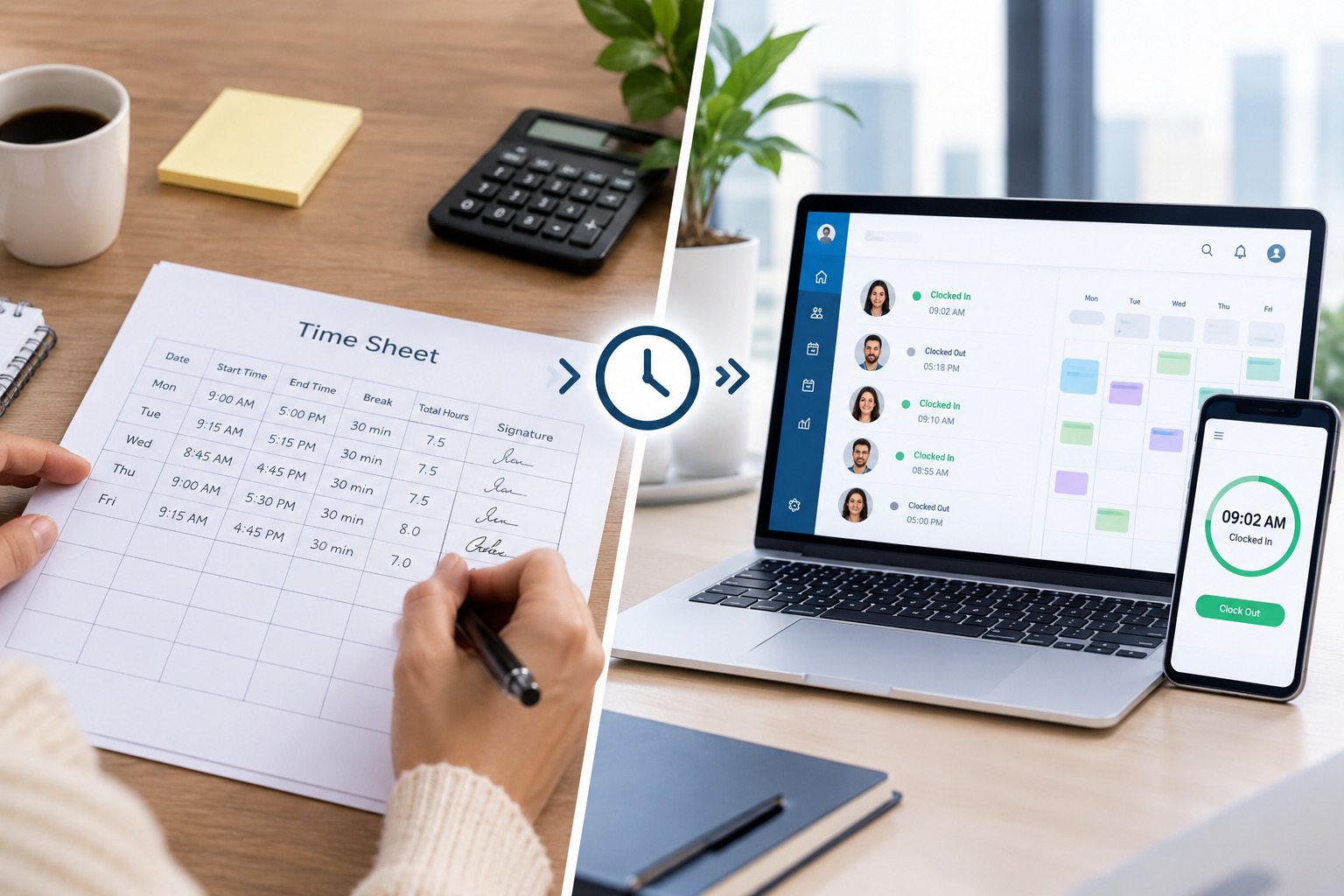
Tracking employee working hours is an important part of workforce management. Businesses need accurate information about when employees start work, when they finish, how many hours they work, whether they work overtime, and how their actual hours compare with scheduled hours.
Traditionally, many businesses have used paper timesheets, spreadsheets, or manually entered digital timesheets to record this information. While these methods can work for small teams with simple schedules, they can become difficult to manage as the workforce grows.
Time tracking software provides a more automated approach. Instead of relying primarily on employees or managers to enter and calculate working hours manually, software can capture time data digitally and connect it with scheduling, attendance, approvals, and reporting.
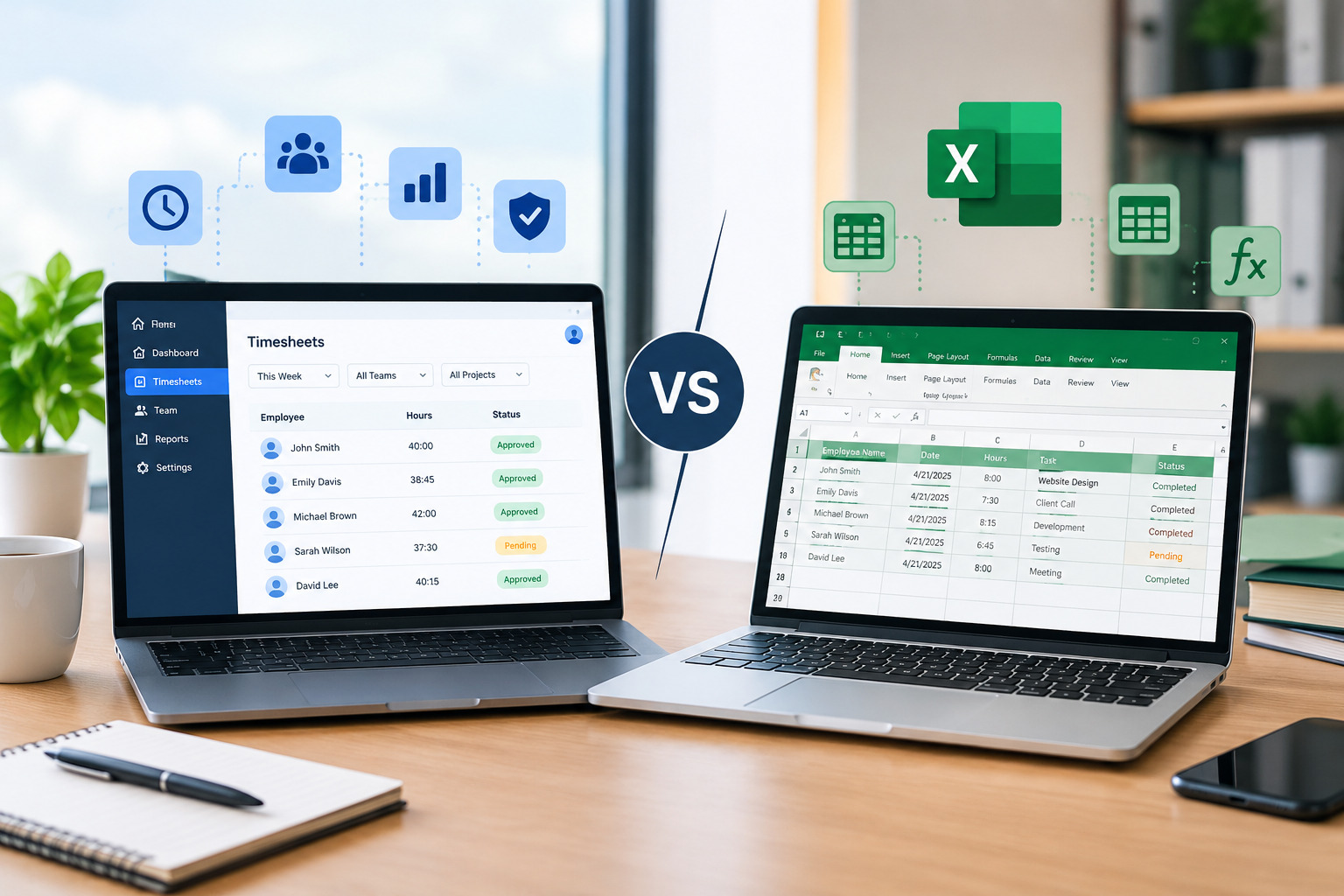
This raises an important question: What is the difference between time tracking software and timesheets, and which approach is better for your business?
The answer depends on the size of the workforce, scheduling complexity, accuracy requirements, and how much manual administration the business can manage.
In this guide, we will explain the difference between time tracking software and timesheets, compare their features, benefits, limitations, costs, accuracy, and use cases, and explain when it may make sense to move from manual timesheets to automated time tracking.
What Is a Timesheet?
A timesheet is a record used to document the amount of time an employee spends working.
A traditional timesheet may contain information such as:
- Employee name
- Work date
- Start time
- End time
- Breaks
- Total hours
- Overtime
- Project or task
- Manager approval
Timesheets can be paper-based, spreadsheet-based, or digital.
For example, an employee might record that they worked from 9:00 AM to 5:30 PM with a 30-minute break. At the end of the week, the employee or manager calculates the total number of hours worked.
Timesheets provide a record of working time, but the amount of automation depends on how they are created and managed.
A simple spreadsheet timesheet may require employees to enter their own hours and managers to review calculations. A digital timesheet may automate some calculations while still requiring employees to manually enter their working time.
This distinction is important when comparing timesheets with dedicated time tracking software.
What Is Time Tracking Software?
Time tracking software is a digital system designed to record, manage, calculate, and report employee working hours.
Depending on the software, time can be recorded through methods such as clock-in and clock-out systems, web or mobile applications, kiosks, attendance devices, or other integrated tools.
Instead of relying entirely on manual entries, the system can capture time information electronically and use it to calculate working hours.
Modern time tracking platforms may also connect time records with employee schedules, attendance, timesheets, payroll processes, projects, locations, and workforce reports.
For example, an employee may clock in at the beginning of a shift and clock out at the end. The system can then calculate the recorded working time and make the information available for review.
Office1Solution’s workforce platform connects scheduling and time tracking, including automatically generated timesheets from clock records, planned-versus-actual hour tracking, GPS-verified attendance, exception flagging, and configurable attendance rules.
Time Tracking Software vs. Timesheets: The Basic Difference
The simplest way to understand the difference is this:
A timesheet is a record of working hours, while time tracking software is a system used to capture, calculate, manage, and analyze working-time data.
A timesheet tells you what hours were recorded.
Time tracking software can help automate how those hours are captured and managed.
For example, an employee using a spreadsheet may manually enter:
Monday: 9:00 AM – 5:00 PM
A time tracking system may record the employee’s clock-in and clock-out events automatically and calculate the corresponding hours.
The timesheet can therefore become an output of the time-tracking process rather than the primary method of collecting time information.
Time Tracking Software vs. Timesheets Comparison
| Feature | Traditional Timesheets | Time Tracking Software |
|---|---|---|
| Time entry | Usually manual | Can be automated |
| Calculations | Often manual or spreadsheet-based | Automatically calculated |
| Clock-in/clock-out | Usually separate | Often integrated |
| Overtime visibility | Requires review | Can be easier to monitor |
| Attendance tracking | Limited | Often integrated |
| Schedule connection | Usually separate | Can be connected |
| Approval workflow | Manual | Can be structured digitally |
| Reporting | Manual or spreadsheet-based | Automated reports |
| Error detection | Mostly manual | Can flag exceptions |
| Employee self-service | Limited | Often available |
| Real-time visibility | Limited | Can be available |
| Multi-location management | More difficult | More centralized |
| Scalability | Becomes harder with growth | Designed for larger workflows |
The exact capabilities depend on the software being used. Not every time tracking platform provides every feature listed above.
How Traditional Timesheets Work
A traditional timesheet process usually follows a simple sequence.
First, employees record their working hours. This may happen on paper, in Excel, or through a basic digital form.
Next, employees submit their timesheets to a manager.
The manager reviews the entries and checks for errors.
If corrections are required, the employee may need to update the timesheet.
Once the hours are approved, the information can be transferred to payroll, accounting, project management, or another system.
This process can work well when there are only a few employees and working hours are predictable.
However, every additional employee, shift, location, or approval step increases the amount of information that needs to be managed.
How Time Tracking Software Works
Time tracking software generally automates more of this workflow.
An employee records their working time using an approved clock-in method.
The system stores the time record and calculates the employee’s working hours according to configured rules.
Depending on the platform, it may also compare the recorded time with the employee’s schedule, identify exceptions, calculate overtime, and prepare information for manager review.
The manager can then review and approve time records before they are used for payroll or reporting.
This creates a more connected workflow.
Instead of:
Employee → Spreadsheet → Manager → Calculation → Payroll
the process can become:
Employee → Digital Time Capture → Automated Calculation → Manager Review → Payroll/Reporting
This does not eliminate the need for human review. It reduces the amount of repetitive manual work involved.
Key Differences Between Time Tracking Software and Timesheets
1. Manual Entry vs. Automated Time Capture
One of the biggest differences is how working time is recorded.
Traditional timesheets often depend on employees entering their hours manually.
Time tracking software can capture time through digital clock-in and clock-out methods.
This can reduce the number of manual calculations and entries required.
However, businesses should still establish clear rules for correcting missed punches, forgotten clock-outs, and other exceptions.
2. Accuracy and Human Error
Manual timesheets can contain errors.
An employee may enter the wrong start time, forget to record a break, calculate the total incorrectly, or submit information late.
Managers may also make mistakes when transferring data from one spreadsheet to another.
Time tracking software can reduce some of these risks by recording time electronically and performing calculations automatically.
However, automation does not guarantee perfect accuracy.
Employees can still forget to clock in or out, devices can have issues, and incorrect configurations can produce inaccurate results.
That is why exception handling and manager review remain important.
3. Overtime Management
With manual timesheets, managers may need to review employee hours regularly to identify overtime.
This can become difficult when employees work different schedules or when the workforce is large.
Time tracking software can make overtime information more visible by calculating working hours and connecting them with schedules.
This allows managers to identify employees who are approaching or exceeding planned hours.
Businesses can then investigate why overtime is occurring rather than discovering it only after payroll is processed.
For businesses looking to reduce unnecessary overtime, scheduling and time tracking should be considered together. Office1Solution also covers how better scheduling can help businesses manage employee overtime.
4. Schedule vs. Actual Hours
A major advantage of connected time tracking is the ability to compare planned hours with actual hours.
Suppose an employee is scheduled for eight hours but regularly works nine hours.
A traditional timesheet may show the nine hours after the employee enters them.
A connected workforce system can help managers compare the schedule and actual attendance more directly.
This can reveal patterns such as:
- Employees regularly working beyond scheduled hours
- Shifts that consistently run longer than expected
- Staffing shortages
- Frequent late clock-outs
- Scheduling assumptions that do not match actual operations
This information can improve future workforce planning.
5. Manager Workload
Manual timesheets require administrative effort.
Managers may need to collect entries, check calculations, follow up on missing timesheets, correct errors, approve records, and transfer information to other systems.
Time tracking software can automate parts of these activities.
This allows managers to spend more time reviewing exceptions and workforce trends rather than performing repetitive calculations.
6. Reporting and Workforce Visibility
A spreadsheet can provide useful information, but creating reports often requires additional formulas, filters, or manual data preparation.
Time tracking software can provide centralized reporting based on recorded time.
Depending on the platform, managers may be able to analyze:
- Hours worked
- Overtime
- Attendance
- Absences
- Schedule adherence
- Planned vs. actual hours
- Employee time patterns
- Location-based workforce activity
The value of reporting increases as the workforce becomes more complex.
7. Integration With Scheduling
Timesheets and schedules are often managed separately in manual environments.
A manager may create the employee schedule in one spreadsheet and maintain time records in another.
This makes it harder to compare planned staffing with actual attendance.
Integrated workforce management connects the two processes.
Office1Solution’s Scheduling Timesheet functionality is designed to connect scheduling and time tracking, including auto-generated timesheets from clock records and planned-versus-actual hour tracking.
This creates a more complete view of employee working time.
Benefits of Using Timesheets
Timesheets still have a place in workforce management.
Simple to Start
A small business can create a basic timesheet using paper or a spreadsheet without purchasing specialized software.
Low Initial Cost
Basic timesheets can be inexpensive to implement.
Flexible
Businesses can customize spreadsheet columns according to their needs.
Suitable for Small Teams
If employees have predictable schedules and there are few manual calculations, simple timesheets may be sufficient.
Easy to Understand
Most employees and managers already understand the basic concept of recording working hours.
However, these advantages become less significant when the business has many employees, multiple locations, variable shifts, or complex overtime rules.
Benefits of Time Tracking Software
Reduces Manual Data Entry
Digital time capture can reduce the amount of information employees and managers need to enter manually.
Automates Calculations
Working hours and other time-related calculations can be processed by the system according to configured rules.
Improves Visibility
Managers can gain a more centralized view of employee time and attendance.
Helps Identify Exceptions
Systems can flag issues such as missing punches or unusual attendance records for review.
Supports Overtime Management
More timely visibility into working hours can help managers monitor overtime.
Connects With Scheduling
When scheduling and time tracking are integrated, managers can compare planned and actual working hours.
Supports Growth
Automated systems can handle larger amounts of employee data without requiring the same increase in manual administrative work.
When Are Timesheets Enough?
Not every business needs sophisticated time tracking software.
Traditional timesheets may be sufficient when:
- The workforce is small
- Employees have predictable schedules
- Working hours are easy to calculate
- There are few schedule changes
- Managers can review time records manually
- There is only one location
- Payroll processing is relatively simple
- Overtime is uncommon
- Employees rarely change shifts
For a small team with straightforward working patterns, a well-managed timesheet may provide enough information.
The important question is not whether software is more modern. The question is whether the current time-tracking process is accurate, efficient, and scalable for the business.
When Should a Business Move to Time Tracking Software?
Businesses may start considering dedicated software when manual time tracking becomes difficult to manage.
Signs include frequent timesheet errors, missing entries, increasing overtime, multiple work locations, complex shift schedules, repeated payroll corrections, or managers spending too much time reviewing hours.
Another important sign is when the business needs real-time workforce visibility.
For example, if managers need to know who is currently working, who has clocked in, who is absent, and whether employees are following their planned schedules, a basic spreadsheet may not provide enough information.
The same applies when employee scheduling and time tracking need to work together.
Office1Solution’s own guidance on recognizing when a business needs employee scheduling software highlights issues such as manual scheduling, missed shifts, last-minute changes, overtime, multiple locations, shift swaps, and growth as potential indicators that a more structured scheduling system may be useful.
Time Tracking Software vs. Spreadsheet Timesheets
Spreadsheet timesheets are one of the most common alternatives to dedicated software.
They can be useful because they are familiar and flexible.
However, spreadsheets require users to maintain formulas, enter data, protect information, manage versions, and communicate updates.
As more employees and locations are added, spreadsheet management can become increasingly complicated.
Time tracking software is designed specifically around collecting and managing employee time data.
The difference is therefore not simply spreadsheet versus software.
It is about whether the business wants to continue managing time as a primarily manual administrative process or move toward a connected workforce-management workflow.
Time Tracking Software vs. Paper Timesheets
Paper timesheets are simple but provide limited automation.
Employees manually write down their working hours, and managers need to review and calculate them.
Paper records can also be difficult to search, organize, store, and analyze.
Time tracking software stores information digitally and can provide faster access to time records.
For businesses that still use paper timesheets, moving to a digital system can be a significant process improvement.
How Time Tracking Software Can Support Payroll
Accurate working-time information is important for payroll.
When employees are paid based on hours worked, errors in time records can affect payroll calculations.
Manual timesheets may require managers or payroll staff to transfer information between systems.
An integrated time tracking system can reduce repetitive data transfer by keeping employee time records in a centralized digital environment.
However, payroll processes vary by business and location, so companies should verify that their selected software supports their payroll workflow and applicable requirements.
Time Tracking Software for Hourly Employees
Hourly employees often require accurate tracking of actual working hours.
This is particularly important when employees have variable schedules, different shift lengths, overtime, breaks, or changing work locations.
A scheduling and time-tracking system can help businesses connect the employee’s planned shift with their actual attendance.
Office1Solution provides scheduling and timesheet functionality designed for shift-based employees, including clock-in/out, GPS-verified attendance, time tracking, exception handling, and automatically generated timesheets.
Businesses should still configure and use time-tracking systems according to their own employment policies and applicable labor requirements.
Time Tracking Software for Remote and Hybrid Teams
Remote and hybrid work can create additional challenges for tracking working time.
Employees may work from different locations and follow different schedules.
A digital time-tracking platform can provide a centralized method for recording work hours, while managers can use scheduling and attendance information to understand workforce availability.
However, businesses should establish clear policies around remote time tracking, employee privacy, working hours, and acceptable use before implementing monitoring technology.
Technology should support transparent workforce management rather than create unnecessary complexity.
Time Tracking Software for Multiple Locations
Businesses with multiple locations may have employees working across stores, offices, branches, client sites, or other workplaces.
Managing paper or spreadsheet timesheets separately at each location can make consolidated reporting difficult.
A centralized system can provide managers with a consistent view of time records.
When scheduling and attendance are connected, businesses can also compare staffing plans across locations with actual workforce activity.
This can support better resource planning and help managers identify recurring staffing issues.
For businesses managing employees across multiple locations, Office1Solution also provides guidance on multi-location employee scheduling.
What Features Should You Look for in Time Tracking Software?
Before choosing a time tracking solution, businesses should evaluate the features that match their actual workforce requirements.
Clock-In and Clock-Out
Employees should have a practical method for recording the beginning and end of their work.
Automatic Hour Calculation
The system should calculate working time based on recorded attendance and configured rules.
Overtime Tracking
Managers should be able to identify overtime and review employee hours.
Exception Management
The software should provide a way to review missing punches, unusual hours, or other attendance exceptions.
Scheduling Integration
Connecting schedules with actual time records can provide better workforce visibility.
Employee Self-Service
Employees may need access to their schedules, time records, requests, and other relevant information.
Reporting
Managers should be able to generate useful reports without manually combining multiple spreadsheets.
Location Support
Businesses with multiple locations should consider whether the software supports their operational structure.
Security and Access Controls
Employee time records are sensitive business information. Businesses should review user permissions, data handling, and security practices before selecting a platform.
How to Transition From Timesheets to Time Tracking Software
Moving from manual timesheets to software should be planned carefully.
Step 1: Review the Existing Process
Document how employees currently record their hours and how managers approve them.
Step 2: Identify Problems
Look for recurring errors, missing records, overtime issues, payroll corrections, and administrative bottlenecks.
Step 3: Define Requirements
Determine whether you need scheduling integration, mobile access, GPS verification, overtime tracking, reporting, approvals, or other capabilities.
Step 4: Select the Right System
Compare platforms based on your workforce size, scheduling model, locations, and operational requirements.
Step 5: Configure Policies
Set up working-hour rules, approval processes, attendance rules, overtime policies, and employee access.
Step 6: Train Employees and Managers
Employees should understand how to clock in and out and how to correct mistakes. Managers should understand approvals and exception handling.
Step 7: Monitor the Results
After implementation, review whether the new system is reducing manual work, improving accuracy, and providing better workforce visibility.
Common Mistakes When Choosing Time Tracking Software
One common mistake is choosing software based only on the number of features.
More features do not automatically mean a better fit.
Businesses should first identify their actual problems and then evaluate which capabilities address those problems.
Another mistake is ignoring employee usability.
If clocking in or correcting time records is unnecessarily complicated, employees may struggle to use the system consistently.
Businesses should also avoid assuming that automation eliminates the need for review.
Managers still need to investigate exceptions, approve records, correct genuine errors, and make sure the system reflects company policies.
Finally, businesses should consider how time tracking fits into the broader workforce-management process.
If scheduling, attendance, timesheets, and payroll are completely disconnected, simply digitizing one part of the process may not solve the underlying problem.
Office1Solution for Scheduling and Time Tracking
Office1Solution provides workforce-management tools that connect employee scheduling and time tracking.
Its Scheduling Timesheet solution supports shift scheduling, clock-in/out, GPS-verified attendance, configurable grace periods, exception flagging, automatic timesheet generation from clock records, and planned-versus-actual hour tracking.
This connected approach can help businesses move beyond manually maintained timesheets and create a more structured process for managing employee schedules and working hours.
Businesses interested in combining employee scheduling with time tracking can explore the Office1Solution scheduling solution.
Frequently Asked Questions
Is a timesheet the same as time tracking software?
No. A timesheet is a record of employee working hours, while time tracking software is a system that can digitally capture, calculate, manage, and report working-time information.
Is time tracking software better than spreadsheets?
The answer depends on the business. Spreadsheets may be sufficient for small teams with simple working patterns. Time tracking software becomes more useful when businesses need automation, real-time visibility, attendance tracking, scheduling integration, reporting, or support for a larger workforce.
Can time tracking software replace timesheets?
Time tracking software can generate or maintain digital time records that function as timesheets. In some systems, timesheets become an output of recorded clock-in and clock-out information rather than requiring employees to calculate their hours manually.
Does time tracking software track overtime?
Many time tracking systems can calculate or report overtime based on configured rules. Businesses should confirm that the software supports their specific overtime policies and requirements.
Can time tracking software connect with employee scheduling?
Yes, some workforce-management platforms connect employee schedules with actual time records. This allows managers to compare planned hours with actual working hours.
Are manual timesheets still useful?
Yes. Manual timesheets can work for small teams with predictable schedules and limited administrative requirements. Their suitability depends on the complexity and scale of the workforce.
How does time tracking software reduce administrative work?
It can automate time capture, calculations, record organization, reporting, and parts of the approval process. This reduces the amount of repetitive data entry and calculation required from employees and managers.
What is the difference between a timesheet and a time clock?
A timesheet records working hours, while a time clock is a method or system used to record when an employee starts and ends work. Time tracking software can use clock-in and clock-out records to automatically create or update timesheets.
Final Thoughts
Timesheets and time tracking software both serve the same fundamental purpose: recording employee working time.
The difference lies mainly in how that information is captured, processed, managed, and used.
Traditional timesheets can be practical for small teams with straightforward schedules. They are familiar, flexible, and relatively easy to start with.
However, as businesses grow, manual time entry, calculations, approvals, overtime reviews, and reporting can create additional administrative work.
Time tracking software provides a more automated approach. It can capture working time digitally, calculate hours, identify exceptions, support overtime monitoring, connect schedules with attendance, and provide workforce reports.
The right choice depends on the business’s workforce size, scheduling complexity, operational requirements, and need for automation.
For businesses that want to connect employee scheduling, attendance, and timesheets, an integrated workforce-management approach can provide a more complete view of how planned work compares with actual working time.
Recent Posts
- Time and Attendance Software: Complete Guide for Employers
- Time and Attendance: What’s the Difference Between the Two?
- How to Reduce Timesheet Errors and Improve Payroll Accuracy
- Timesheet App for Employees: Features, Benefits & Best Practices

- Timesheet Software vs. Excel: Which Is Better for Businesses?
Stay Ahead. Simplify Workforce Management.
Empower your teams to work efficiently with a unified workforce platform built for clarity, control, and actionable insights across your organization.