
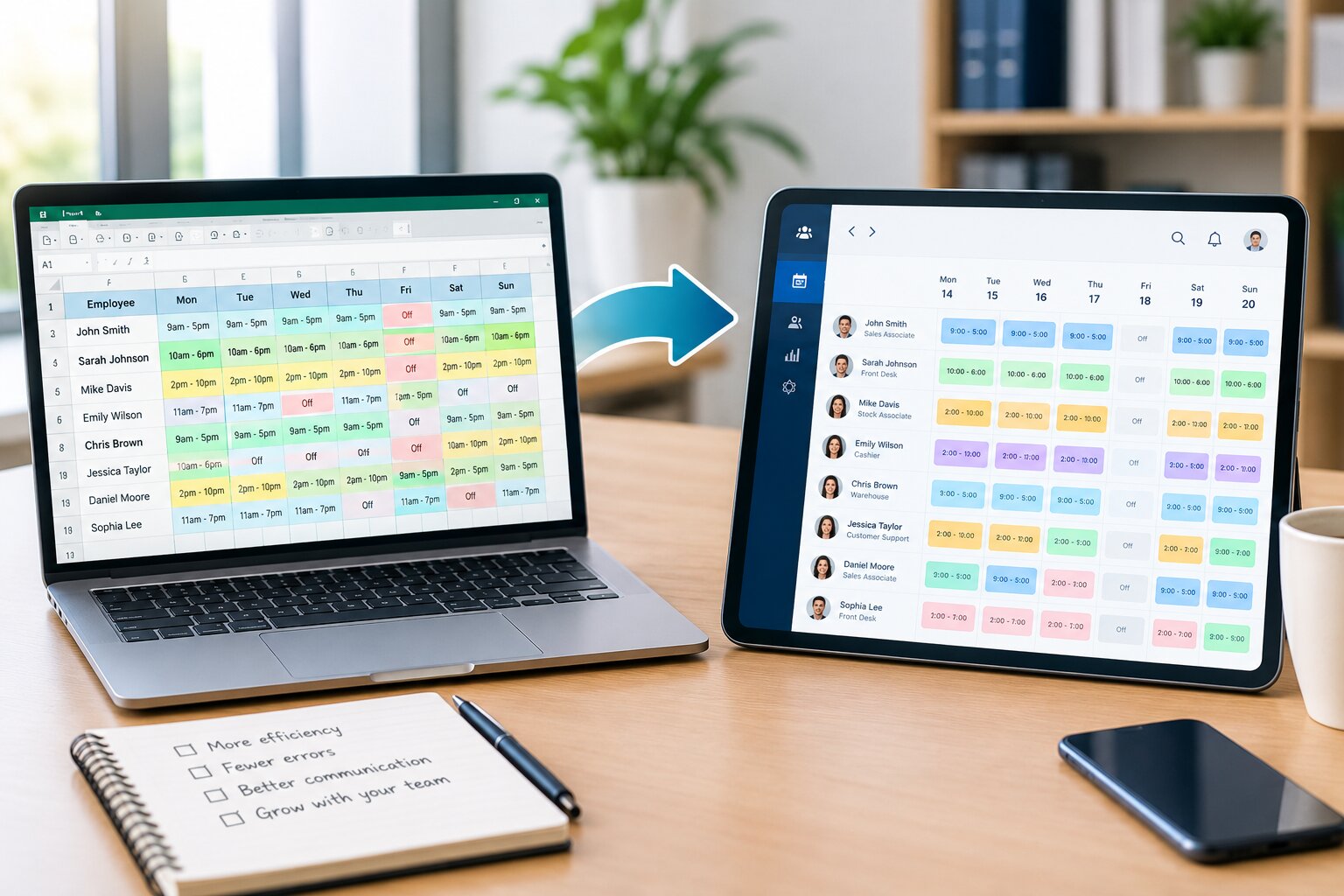
Employee scheduling is an essential part of keeping daily operations running smoothly. For many small businesses, an employee scheduling spreadsheet is often the easiest place to start. A simple Excel or Google Sheets file can help managers assign shifts, record working hours, and share schedules with employees.
However, what works for a small team may not work as the business grows.
As you add employees, locations, shifts, departments, and changing availability, a scheduling spreadsheet can become increasingly difficult to manage. Managers may spend hours updating schedules, checking employee availability, correcting conflicts, and communicating last-minute changes.
At some point, the question becomes:
When should you replace your employee scheduling spreadsheet with dedicated employee scheduling software?
There is no single employee count or specific date that determines when you should make the switch. Instead, businesses should look at the complexity of their scheduling process, the amount of manual work involved, the frequency of errors, and the impact scheduling has on managers and employees.
This guide explains the key signs that your employee scheduling spreadsheet has reached its limits and shows how dedicated scheduling software can improve workforce scheduling.
What Is an Employee Scheduling Spreadsheet?
An employee scheduling spreadsheet is a document created in Excel, Google Sheets, or another spreadsheet program to organize employee shifts and working hours.
A typical scheduling spreadsheet may include:
- Employee names
- Workdays
- Shift start and end times
- Job positions
- Departments
- Locations
- Days off
- Total scheduled hours
- Overtime hours
For example, a manager might create a weekly schedule showing which employees are working each day.
| Employee | Monday | Tuesday | Wednesday | Thursday | Friday |
|---|---|---|---|---|---|
| John | 9 AM–5 PM | 9 AM–5 PM | Off | 9 AM–5 PM | 9 AM–5 PM |
| Sarah | 10 AM–6 PM | Off | 10 AM–6 PM | 10 AM–6 PM | 10 AM–6 PM |
| David | 2 PM–10 PM | 2 PM–10 PM | 2 PM–10 PM | Off | 2 PM–10 PM |
This approach can work well when schedules are predictable and the team is small.
The problem begins when managers need to coordinate many variables at the same time.
Why Do Businesses Start With Scheduling Spreadsheets?
Spreadsheets remain popular because they are familiar and flexible.
Businesses often choose them because they:
- Are easy to create.
- Require little training.
- Can be customized.
- Are useful for small teams.
- Allow managers to calculate hours.
- Can be shared electronically.
- May already be included in existing software subscriptions.
For a business with five or six employees and predictable shifts, a spreadsheet may be perfectly adequate.
However, scheduling requirements often become more complicated as the organization grows.
A manager may eventually need to account for employee availability, time-off requests, shift swaps, overtime, staffing requirements, and multiple locations.
At that point, a spreadsheet can become more of an administrative burden than a scheduling solution.
10 Signs It’s Time to Replace Your Employee Scheduling Spreadsheet
There is no universal rule for when a business must stop using a spreadsheet. However, several warning signs indicate that your current scheduling process may no longer be efficient.
1. Creating the Schedule Takes Too Much Time
One of the clearest signs is the amount of time managers spend creating schedules.
If a manager regularly spends hours each week:
- Entering employee shifts
- Checking availability
- Calculating hours
- Reviewing staffing levels
- Updating schedule changes
- Sending notifications
then the scheduling process may be taking too much valuable management time.
A scheduling spreadsheet requires many tasks to be performed manually.
As the workforce grows, those tasks can multiply.
Why This Matters
Managers should be able to focus on employees, customers, operations, and business performance rather than spending most of their time maintaining a spreadsheet.
If creating a weekly schedule has become a major administrative task, it may be time to consider dedicated scheduling software.
2. Scheduling Conflicts Are Becoming Common
Scheduling conflicts are another major warning sign.
Problems may occur when an employee is:
- Scheduled during unavailable hours.
- Assigned overlapping shifts.
- Scheduled at two locations at the same time.
- Given more hours than intended.
- Assigned to a shift without the required availability.
With a spreadsheet, managers typically need to identify these problems manually or create complicated formulas and conditional formatting rules.
As schedules become more complicated, errors become easier to miss.
Also Read : How to Reduce Employee Scheduling Conflicts in the Workplace
3. Employees Keep Asking, “When Am I Working?”
If employees regularly contact managers to ask about their shifts, your scheduling system may not be providing enough visibility.
Common questions include:
- What time do I work tomorrow?
- Did my shift change?
- Am I working this weekend?
- Who is covering this shift?
- Has my time-off request been approved?
Repeated questions create unnecessary communication for managers.
A centralized scheduling system can allow employees to access their current schedules directly.
Instead of searching through emails or messages, employees can check the latest schedule from a designated platform.
4. Last-Minute Schedule Changes Are Difficult to Manage
Unexpected changes are part of workforce management.
An employee may call in sick, become unavailable, or need to swap a shift.
When using a spreadsheet, the manager may need to:
- Find a replacement employee.
- Check their availability.
- Update the spreadsheet.
- Save the revised version.
- Share the updated schedule.
- Contact affected employees.
This process can be especially difficult when changes happen shortly before a shift starts.
Explore How to Manage Last-Minute Shift Changes
5. Employees Are Swapping Shifts Outside the Spreadsheet
Shift swapping can be useful for employees, but managing it manually can become complicated.
For example, an employee may ask a coworker to cover a shift through a messaging app.
The manager then has to confirm:
- Whether the replacement is available.
- Whether the employee has the required skills.
- Whether the shift creates overtime.
- Whether the schedule needs to be changed.
If employees are constantly arranging shift swaps through texts, emails, or informal conversations, the spreadsheet may no longer be sufficient.
Dedicated employee scheduling software can provide a more structured process for requesting, reviewing, and approving shift changes.
Explore employee shift swapping
6. Tracking Employee Availability Has Become Difficult
Employee availability is one of the most important factors in creating an effective schedule.
Employees may have:
- Different weekly availability.
- School schedules.
- Family commitments.
- Second jobs.
- Temporary restrictions.
- Preferred working hours.
When availability is tracked manually, managers may maintain a separate spreadsheet, form, email thread, or document.
This creates another administrative task.
More importantly, outdated availability information can result in scheduling conflicts.
Dedicated scheduling software can allow employees to submit or update availability and give managers a centralized view of that information.
7. Time-Off Requests Are Getting Lost
Time-off management becomes increasingly difficult when requests are handled through multiple channels.
For example, employees might request time off through:
- Text messages
- Phone calls
- Paper forms
- Chat applications
A manager may then need to manually update the scheduling spreadsheet.
This creates opportunities for mistakes.
An approved vacation request could be forgotten when the schedule is created, resulting in an employee being scheduled when they are supposed to be away.
A centralized scheduling solution can help keep employee schedules and approved time off connected.
8. You Are Constantly Creating New Versions of the Spreadsheet
This is one of the most obvious signs of spreadsheet-related scheduling problems.
You may have files with names such as:
- Schedule.xlsx
- Schedule Updated.xlsx
- Schedule Final.xlsx
- Schedule Final Updated.xlsx
- Schedule Final Updated 2.xlsx
When multiple versions are shared through email or messaging platforms, employees may not know which schedule is current.
This can lead to:
- Missed shifts
- Confusion
- Incorrect start times
- Staffing gaps
A centralized scheduling system provides one current schedule rather than requiring employees to identify the latest spreadsheet version.
9. Overtime Is Becoming Difficult to Control
Overtime can increase labor costs and create employee workload concerns.
A spreadsheet can calculate hours using formulas, but managers still need to make sure the formulas are accurate and review the results regularly.
For example, an employee may initially be scheduled for 38 hours but later accept another shift.
If the manager does not update the spreadsheet correctly, the employee’s total hours may not be immediately obvious.
As schedules change frequently, manually monitoring overtime becomes increasingly difficult.
Dedicated scheduling software can provide better visibility into scheduled hours and, depending on the platform, alert managers when employees are approaching overtime thresholds.
Also Read : How to Manage Employee Overtime Through Better Scheduling
10. Your Business Has Multiple Locations or Departments
A single spreadsheet may work for one location.
Managing several locations is a different challenge.
For example, a growing company may have:
- Five retail stores
- Multiple restaurants
- Several office locations
- Different warehouse facilities
Managers may need to track:
- Employees at each location
- Shift coverage
- Employee availability
- Department assignments
- Location-specific staffing requirements
Using multiple spreadsheets or worksheets can make the process difficult to maintain.
Dedicated scheduling software can organize employees and schedules by location, department, role, or team.
This provides managers with a clearer overview of workforce coverage.
What Happens If You Keep Using an Outgrown Scheduling Spreadsheet?
Continuing to use a spreadsheet after it has become difficult to manage can create several operational problems.
Increased Administrative Work
Managers may spend more time maintaining schedules than managing their teams.
More Scheduling Errors
Manual data entry creates opportunities for mistakes.
Poor Communication
Employees may not receive schedule updates quickly enough.
Increased Overtime
Without clear visibility into employee hours, overtime can be harder to control.
Employee Frustration
Frequent scheduling mistakes or last-minute changes can negatively affect employee satisfaction.
Reduced Scalability
The scheduling process becomes increasingly difficult as more employees and locations are added.
These issues can create a cycle in which managers spend more time fixing scheduling problems instead of preventing them.
How Employee Scheduling Software Solves These Problems
Employee scheduling software is specifically designed to handle workforce scheduling tasks.
Instead of using one spreadsheet for multiple scheduling responsibilities, businesses can manage their workforce through a centralized system.
Depending on the platform, features may include:
- Employee scheduling
- Availability management
- Time-off requests
- Shift swapping
- Open shifts
- Automated notifications
- Conflict detection
- Overtime monitoring
- Mobile access
- Schedule templates
- Multi-location scheduling
- Reporting
These features can reduce manual work and provide employees with better access to schedule information.
Spreadsheet vs. Employee Scheduling Software
| Scheduling Requirement | Spreadsheet | Employee Scheduling Software |
|---|---|---|
| Basic shift planning | Yes | Yes |
| Manual schedule creation | Yes | Reduced |
| Employee availability | Manual | Often built-in |
| Time-off requests | Manual | Often built-in |
| Shift swapping | Manual | Supported by many platforms |
| Schedule notifications | Separate process | Often automated |
| Conflict detection | Manual/formulas | Often automated |
| Overtime monitoring | Manual/formulas | Often automated |
| Mobile access | Possible | Typically designed for mobile |
| Multiple locations | More difficult | Designed for scalable management |
| Employee self-service | Limited | Often available |
| Real-time updates | Depends on sharing method | Centralized |
| Reporting | Manual setup | Often built-in |
The goal is not necessarily to eliminate spreadsheets completely. Excel and Google Sheets remain useful for many business tasks.
The important question is whether your scheduling process requires more automation and workforce-specific functionality than a spreadsheet can comfortably provide.
How Many Employees Can You Manage With a Spreadsheet?
There is no universal employee limit.
A business with 20 employees may manage schedules successfully through a spreadsheet, while another business with 10 employees may struggle because it operates multiple locations and rotating shifts.
The deciding factor is scheduling complexity, not simply employee count.
A small business may need scheduling software if it has:
- Multiple shifts every day.
- Frequent employee absences.
- Complex availability.
- Regular shift swaps.
- Several locations.
Meanwhile, a larger office with fixed 9-to-5 schedules may continue using a spreadsheet effectively.
Think about complexity rather than headcount alone.
Questions to Ask Before Replacing Your Scheduling Spreadsheet
Before investing in employee scheduling software, evaluate your current process.
Ask yourself:
1. How much time do we spend creating schedules?
If scheduling consumes several hours every week, calculate how much management time that represents over a year.
2. How frequently do schedule changes occur?
If changes happen every day, a centralized scheduling system may provide significant value.
3. How often do scheduling errors happen?
Track conflicts, missed changes, and incorrect assignments.
4. How do employees receive schedules?
If schedules are sent through multiple channels, consider whether employees need a centralized source.
5. How do employees request time off?
If requests are handled through informal messages, a structured workflow may help.
6. How are shift swaps handled?
If managers manually coordinate every shift exchange, automation could reduce administrative work.
7. How do you monitor overtime?
If managers rely on manual calculations, dedicated scheduling tools may provide better visibility.
8. Are you planning to grow?
If your business is expanding, it may be better to implement a scalable scheduling system before the spreadsheet becomes unmanageable.
A Simple Decision Framework
You can use the following framework to determine whether your scheduling spreadsheet is still suitable.
Keep Your Spreadsheet If:
Your current system may be sufficient if:
- Your team is small.
- Employees have predictable schedules.
- There are few schedule changes.
- You operate from one location.
- Employees rarely swap shifts.
- Time-off requests are easy to manage.
- Overtime is minimal.
- Managers spend very little time creating schedules.
Consider Employee Scheduling Software If:
It may be time to upgrade if:
- Schedule creation takes hours.
- Conflicts occur frequently.
- Employees regularly ask about their shifts.
- Availability changes often.
- Shift swapping is common.
- Time-off requests are difficult to track.
- Overtime is becoming a concern.
- You operate multiple locations.
- Managers constantly update and resend spreadsheets.
- Your business is growing quickly.
Benefits of Replacing a Scheduling Spreadsheet
Moving to dedicated scheduling software can provide several operational benefits.
1. Save Manager Time
Automation can reduce repetitive scheduling tasks and allow managers to focus on higher-value responsibilities.
2. Improve Schedule Accuracy
Availability information and conflict alerts can help reduce common scheduling mistakes.
3. Improve Employee Visibility
Employees can access their schedules without relying on printed documents or outdated files.
4. Simplify Schedule Changes
Managers can make updates from a centralized scheduling system.
5. Improve Workforce Communication
Employees can receive notifications when schedules are published or changed.
6. Improve Overtime Visibility
Managers can monitor employee hours more effectively and make better staffing decisions.
7. Support Business Growth
A scalable scheduling system can make it easier to manage additional employees, shifts, and locations.
How to Transition From a Spreadsheet to Scheduling Software
Replacing your employee scheduling spreadsheet does not have to happen overnight.
A gradual transition can make the process easier.
Step 1: Review Your Current Spreadsheet
Identify everything your current spreadsheet is being used for.
For example:
- Shift assignments
- Employee hours
- Availability
- Time off
- Locations
- Overtime
This helps you identify the features you need from new software.
Step 2: Identify Your Biggest Scheduling Problems
Look at the areas creating the most work.
Are you struggling with:
- Schedule conflicts?
- Shift changes?
- Employee communication?
- Availability?
- Overtime?
- Multiple locations?
Prioritize the problems that have the greatest operational impact.
Step 3: Choose Features Based on Your Needs
Do not select software simply because it has a long list of features.
Focus on functionality that addresses your actual scheduling challenges.
Important features may include:
- Employee availability
- Shift management
- Time-off management
- Shift swapping
- Notifications
- Overtime tracking
- Mobile access
- Reporting
Step 4: Start With a Small Team
If possible, test the new scheduling process with one department or location.
This allows managers to identify problems before rolling the system out to the entire organization.
Step 5: Train Employees
Employees should understand how to:
- View their schedule.
- Update availability.
- Request time off.
- Request shift swaps.
- Respond to schedule changes.
Training improves adoption and reduces confusion.
Step 6: Establish Scheduling Policies
Technology alone does not solve every scheduling problem.
Create clear policies covering:
- Schedule publication deadlines
- Availability updates
- Time-off requests
- Shift swaps
- Last-minute absences
- Overtime
Clear rules make the scheduling system easier to manage.
Best Practices for Replacing an Employee Scheduling Spreadsheet
Don’t Wait Until Scheduling Becomes a Crisis
If managers are already struggling with the spreadsheet, waiting until the process completely breaks down can make the transition more difficult.
Start evaluating alternatives when warning signs first appear.
Keep Your Existing Scheduling Data Organized
Before moving to a new platform, clean up outdated employee information, old shifts, and duplicate records.
Communicate the Reason for the Change
Employees are more likely to adopt a new system when they understand how it will make scheduling easier.
Maintain a Backup During the Transition
Keep the existing scheduling information available while the new system is being tested.
Review the Process After Implementation
After switching systems, ask managers and employees:
- Is schedule access easier?
- Are conflicts decreasing?
- Are changes communicated faster?
- Is scheduling taking less time?
Use this feedback to improve your process.
Frequently Asked Questions
When should a business stop using an employee scheduling spreadsheet?
A business should consider replacing its scheduling spreadsheet when it becomes difficult to manage accurately or requires too much manual work. Frequent conflicts, schedule changes, overtime issues, employee questions, and multiple locations are common signs that dedicated scheduling software may be more appropriate.
Is Excel good for employee scheduling?
Excel can be effective for simple employee schedules, particularly for small teams with predictable work hours. However, it becomes less practical as scheduling complexity increases.
How do I know if I need employee scheduling software?
Consider scheduling software if managers spend significant time creating schedules, employees frequently request schedule clarification, shift changes are difficult to coordinate, or you need better availability, overtime, and time-off management.
Can employee scheduling software replace Excel?
For workforce scheduling, dedicated software can replace many of the functions businesses use Excel for. However, Excel can still be useful for reporting, financial analysis, data manipulation, and other business tasks.
Does employee scheduling software reduce scheduling errors?
It can. Many scheduling platforms include features such as availability management and conflict alerts that help managers identify potential scheduling problems before they affect operations.
Is scheduling software worth the cost for a small business?
It depends on the complexity of the business. A small company with a simple fixed schedule may not need dedicated software. A small business with rotating shifts, frequent changes, multiple locations, or complex employee availability may benefit significantly from scheduling software.
What is the biggest disadvantage of using a scheduling spreadsheet?
The biggest limitation is that spreadsheets rely heavily on manual management. As schedules become more complex, it can become difficult to keep employee availability, changes, time off, overtime, and communication synchronized.
Final Thoughts
An employee scheduling spreadsheet can be an excellent starting point for a small business. It is familiar, flexible, and relatively easy to customize.
But a spreadsheet should not become a permanent solution simply because it worked in the past.
If managers are spending hours creating schedules, employees are frequently asking for clarification, scheduling conflicts are increasing, or last-minute changes are difficult to communicate, these are strong signs that your current scheduling process may have reached its limits.
The decision to replace your employee scheduling spreadsheet should be based on scheduling complexity rather than employee count alone.
When your business needs better availability management, automated notifications, shift swapping, time-off workflows, conflict detection, overtime visibility, and centralized schedule access, dedicated employee scheduling software can provide a more scalable approach.
The right time to replace your spreadsheet is ultimately when maintaining it takes more time and effort than the value it provides.
A proactive transition can help your business reduce administrative work, improve scheduling accuracy, communicate changes more effectively, and build a workforce scheduling process that can grow with your organization.
Recent Posts
- Time and Attendance Software: Complete Guide for Employers

- Time and Attendance: What’s the Difference Between the Two?

- How to Reduce Timesheet Errors and Improve Payroll Accuracy

- Timesheet App for Employees: Features, Benefits & Best Practices

- Timesheet Software vs. Excel: Which Is Better for Businesses?
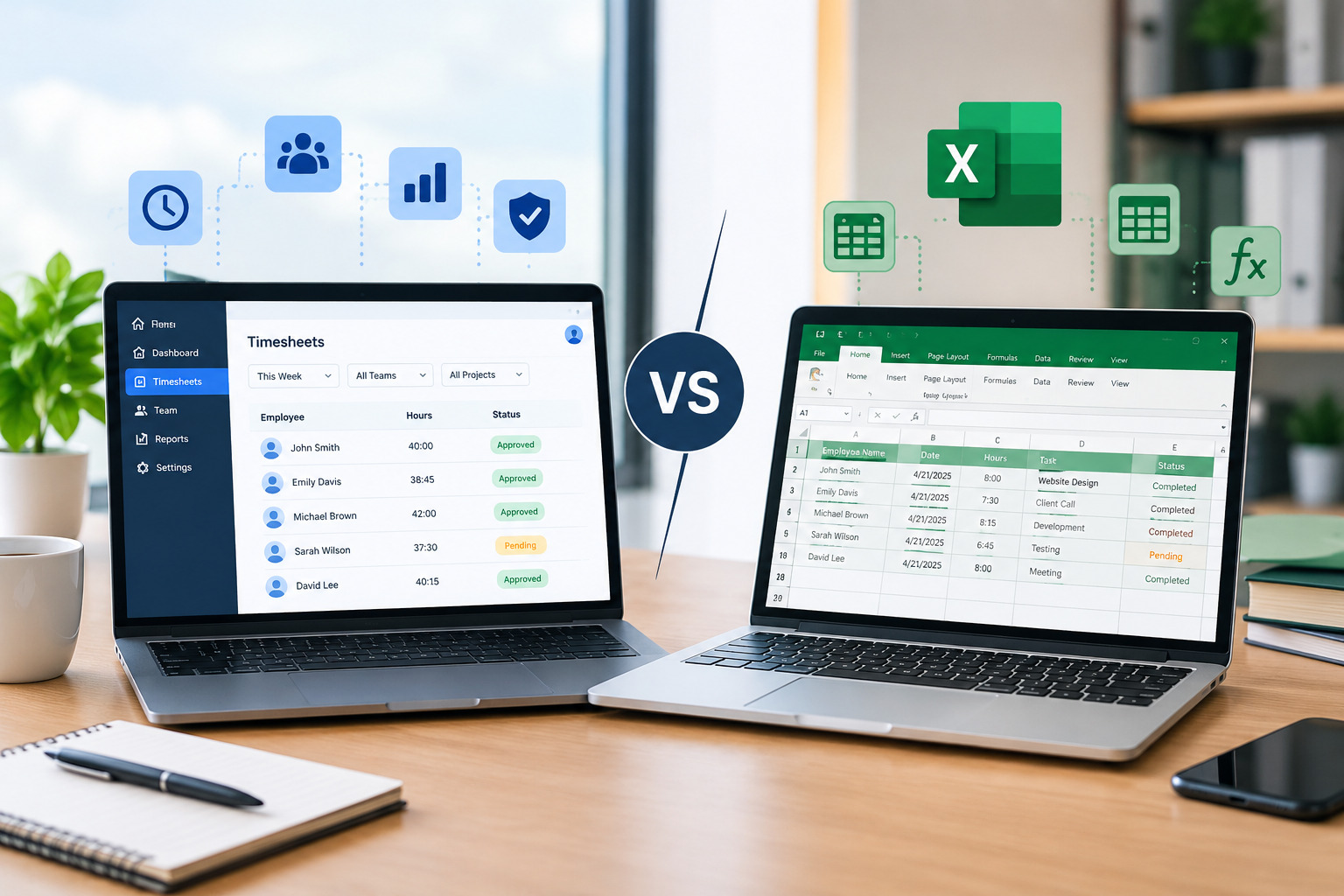
Stay Ahead. Simplify Workforce Management.
Empower your teams to work efficiently with a unified workforce platform built for clarity, control, and actionable insights across your organization.